DESIGN
01 · Desktop, phone, tablet
Explain the idea by drawing it.
The team draws on one board together, builds a 3D scene, places cameras and lights. Any drawing can become a card on the process board.
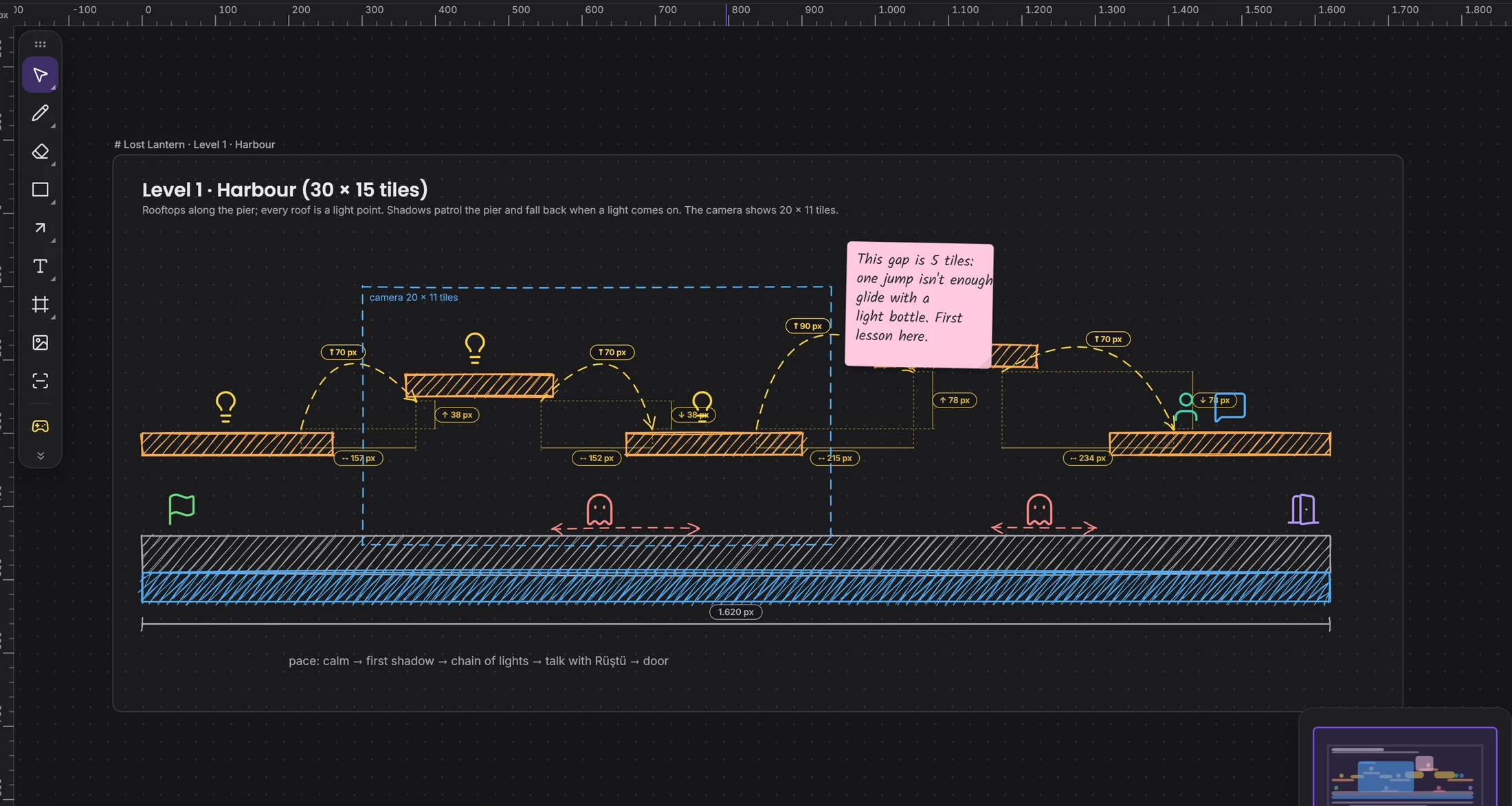
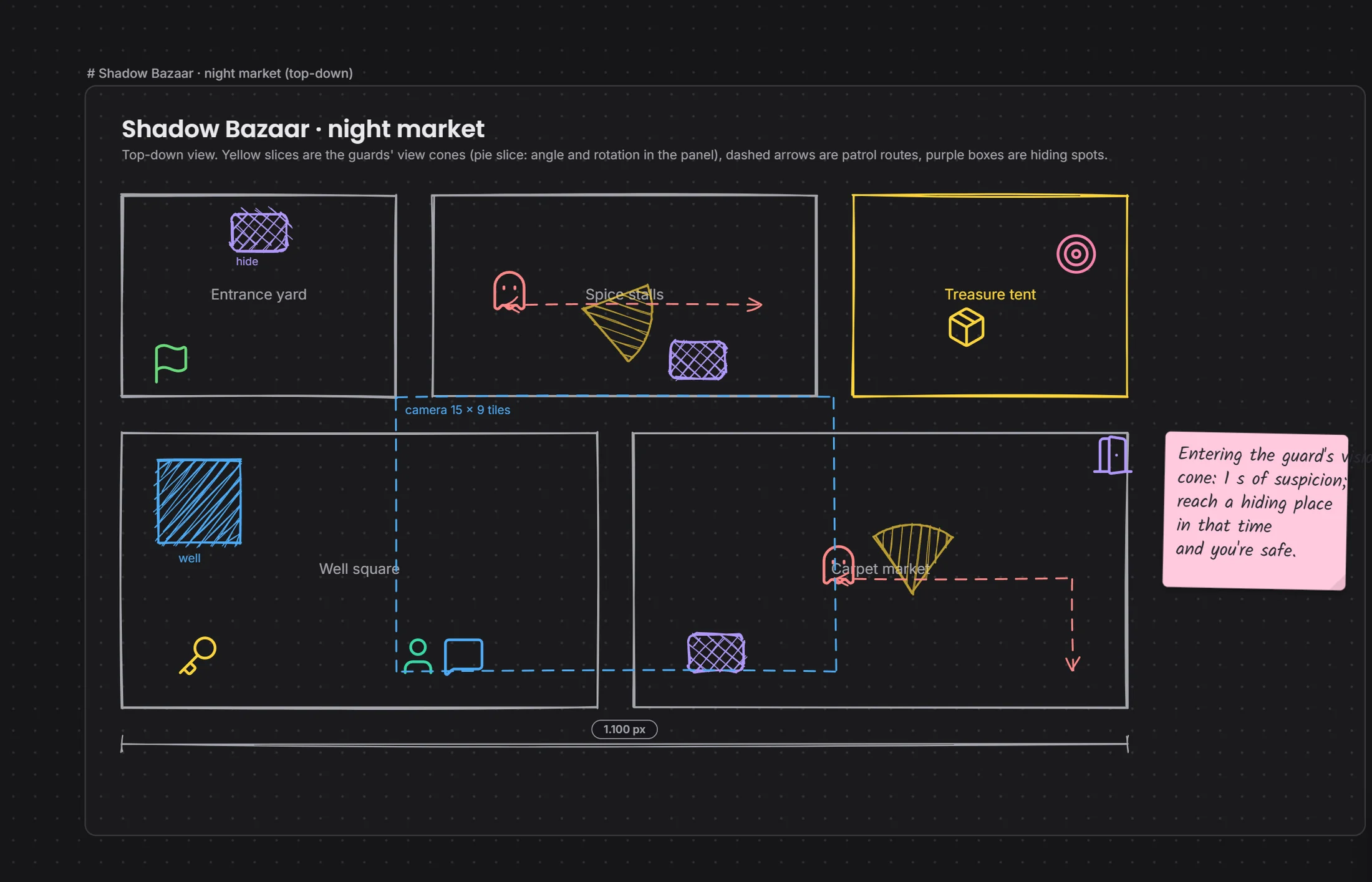
a drawing becomes a task →
By field
GamesVFXAnimationFilm and TVPost productionAds and music videosXR / VRBy role
ProgrammingGame and level designScript2D art3D and charactersAnimationVFX and compositingSound and musicDirecting and productionMarket · 3 add-ons · 2 coming
Drawing, screenplay, code: each one is an add-on. Take what you need. It opens in the projects you founded, and your team uses it too.
All free right now!
Take one off and nothing is deleted.
01 · Desktop, phone, tablet
Explain the idea by drawing it.
The team draws on one board together, builds a 3D scene, places cameras and lights. Any drawing can become a card on the process board.
a drawing becomes a task →
02 · Desktop, phone, tablet
Write like it's a page. Write together.
Pages written together in screenplay form. A note on a line becomes a task; scenes are tied to storyboard frames.
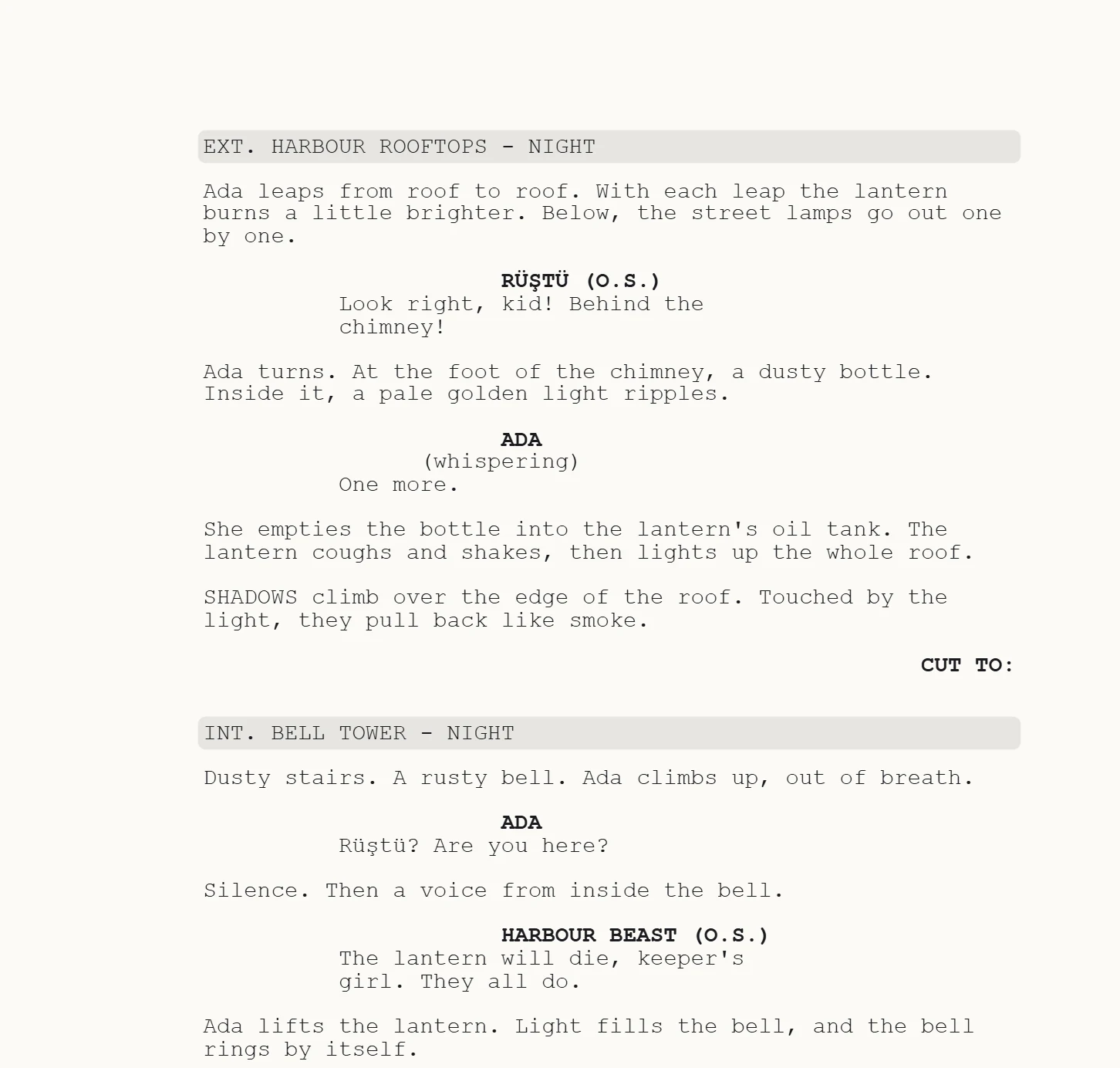
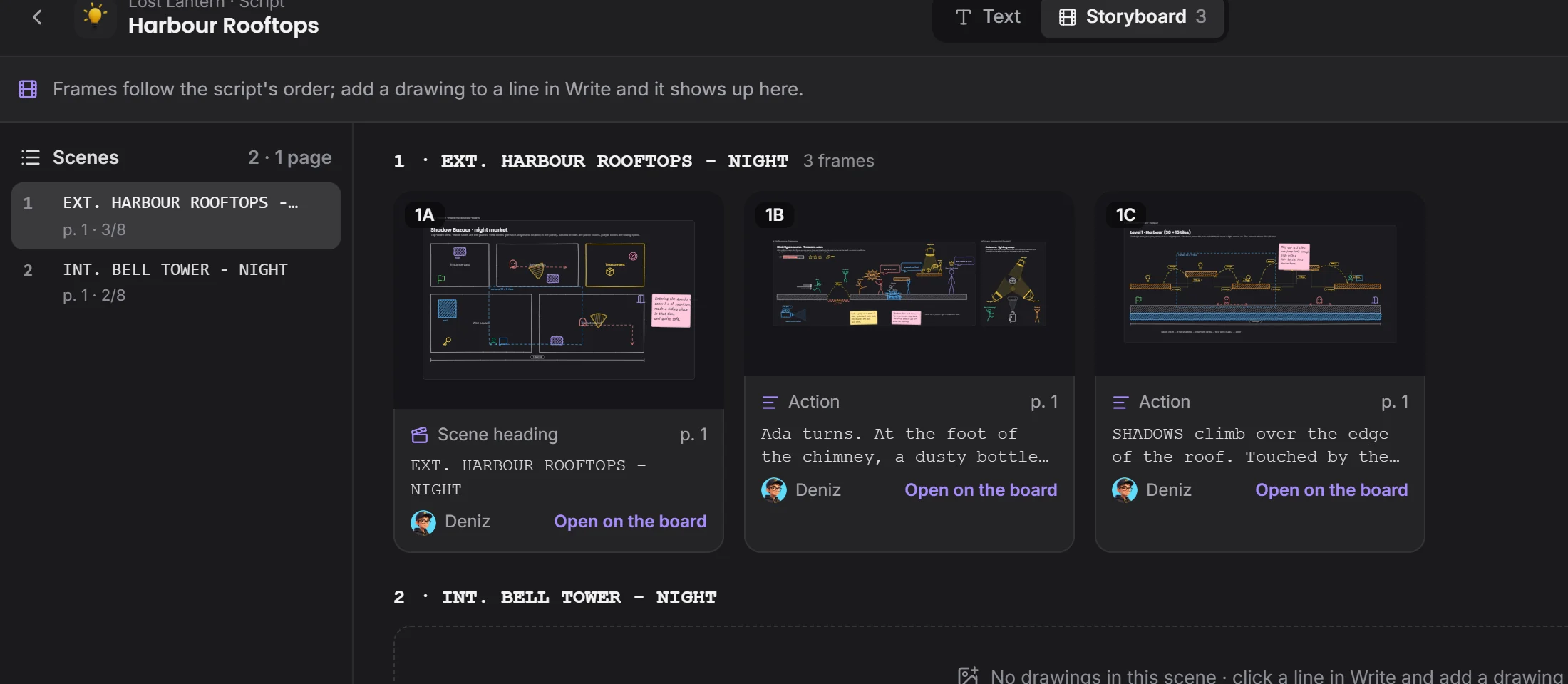
a line becomes a drawing →
03 · Desktop only
Write code in the same file as your team.
The project's pieces of code stand here with their files. The team writes in one file together, suggests a change on a line, goes back to an older version.
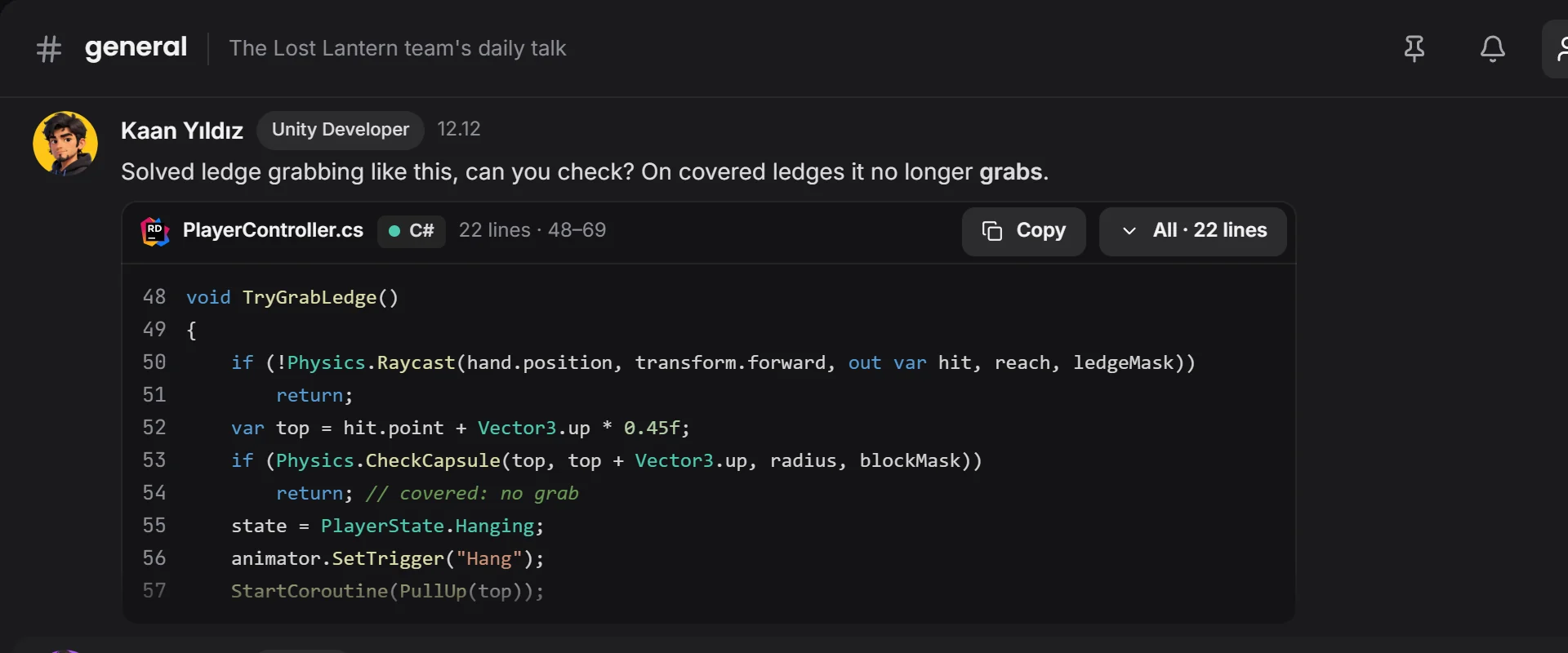
a line becomes a task →
04 · Desktop only · Coming
Track the production shot by shot.
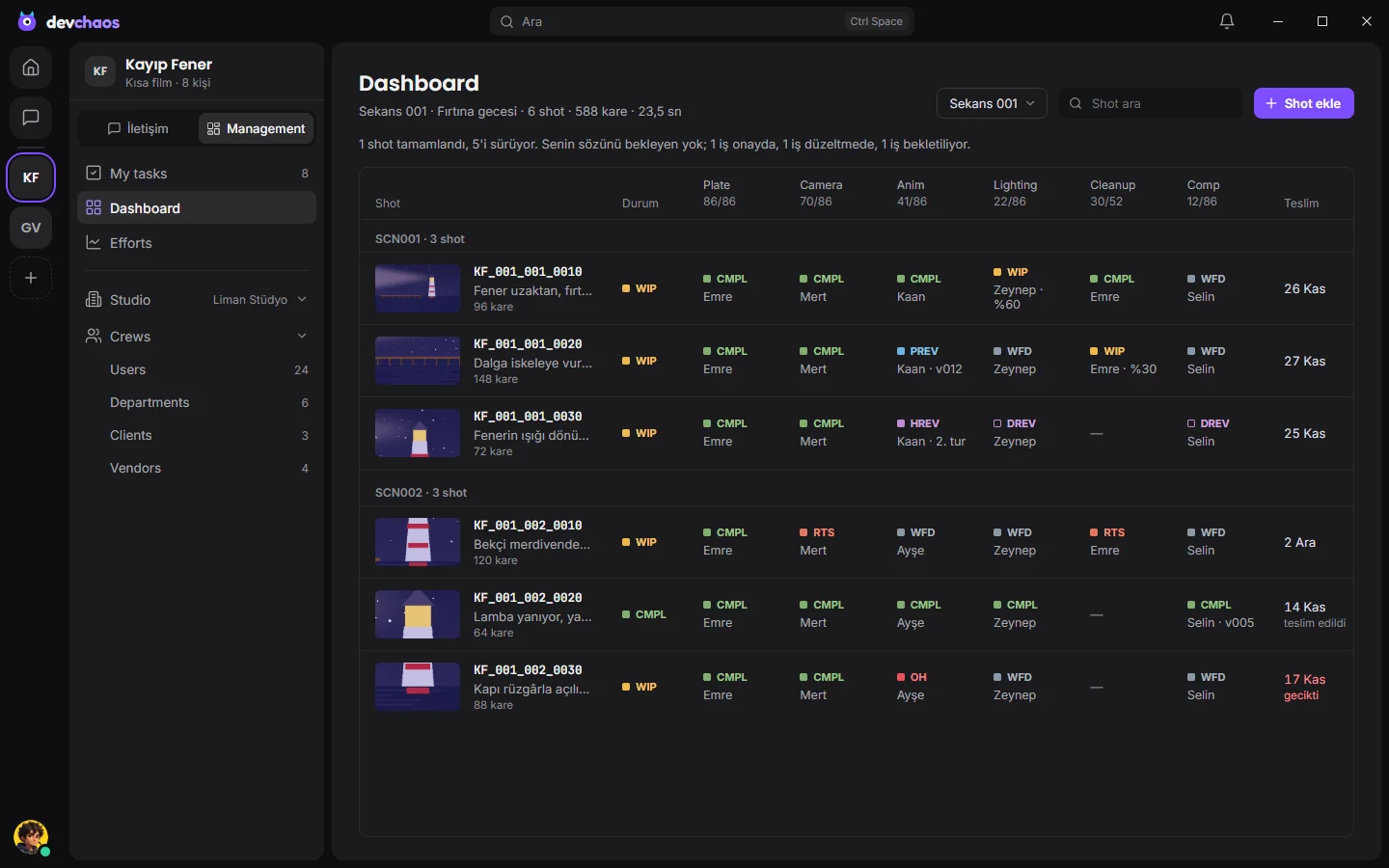
Track a game, VFX or animation production shot by shot and scene by scene. Each artist's schedule, the state of the work, the effort spent against the plan; studios, departments and crews in one place.
the shot moves on its own →
05 · Desktop only · Coming
Watch the film, mark the frame.
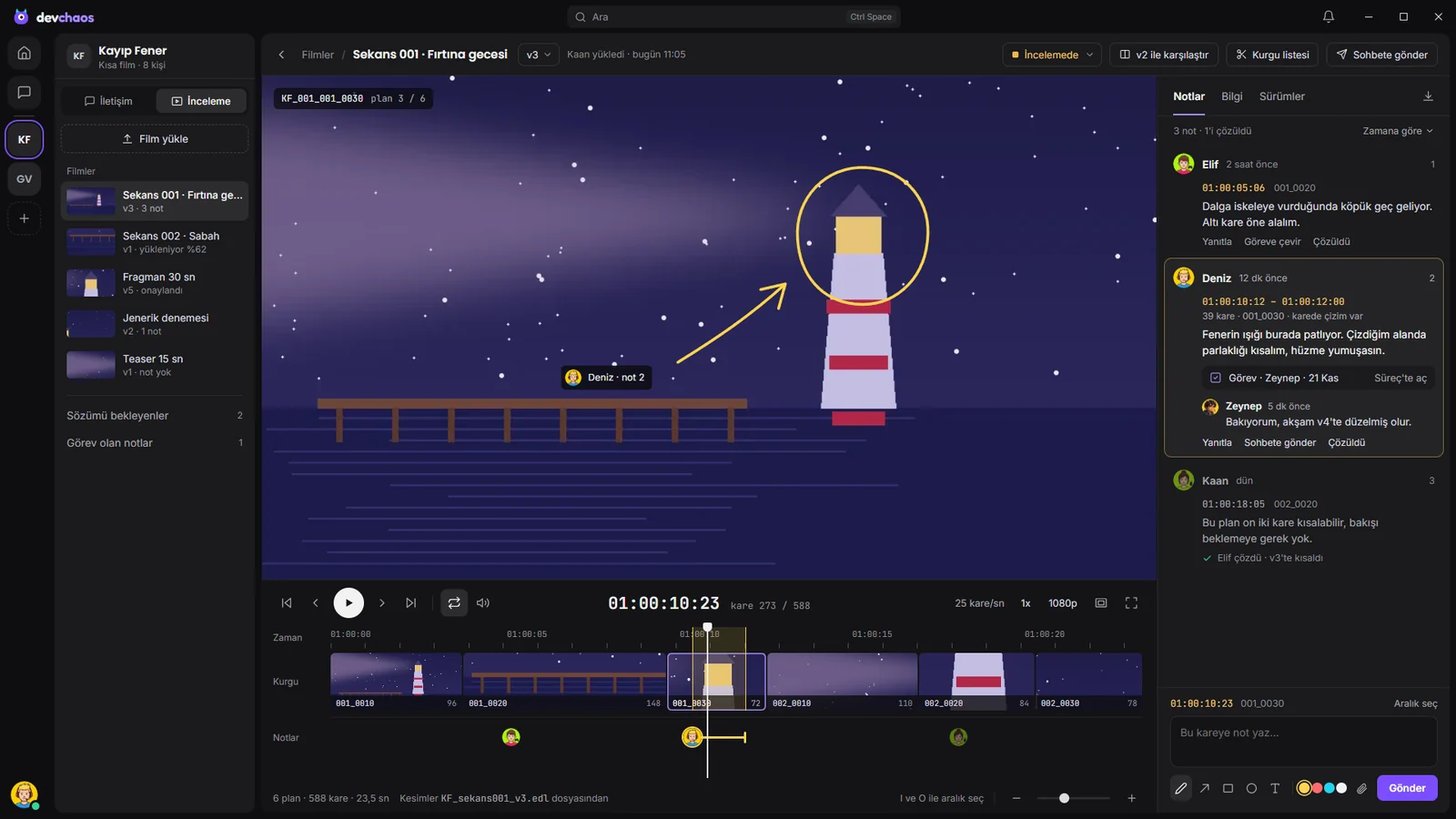
Films are shrunk on your own computer and uploaded. In the player and its timeline you leave a note on a frame or a range and draw on it; the note goes to someone as a task in the process. Cuts come out of EDL and XML lists by themselves.

the note becomes a task →
Add-ons are Devchaos's own parts and come inside the app. Installing one opens it in your projects; removing it closes it, and what you made waits where it was.