Windows · Test version
DOWNLOAD
Install it, sign in with your devchaos.com account and join your team. Completely free for a short while, and no card needed.
Already a member? Sign in
Downloads are for members. Membership is free, and you sign in to the app with the same account.
Signed in as
Download for WindowsYour download has started. When it finishes, open the file and the steps below will get you in.
Your page shows what you downloaded and how much you use the app
Four steps and you're in.
-
If Windows shows a warningMore info›Run anyway
Open the file
Double-click the downloaded file. Our app isn't signed yet, so Windows may warn you the first time.
-
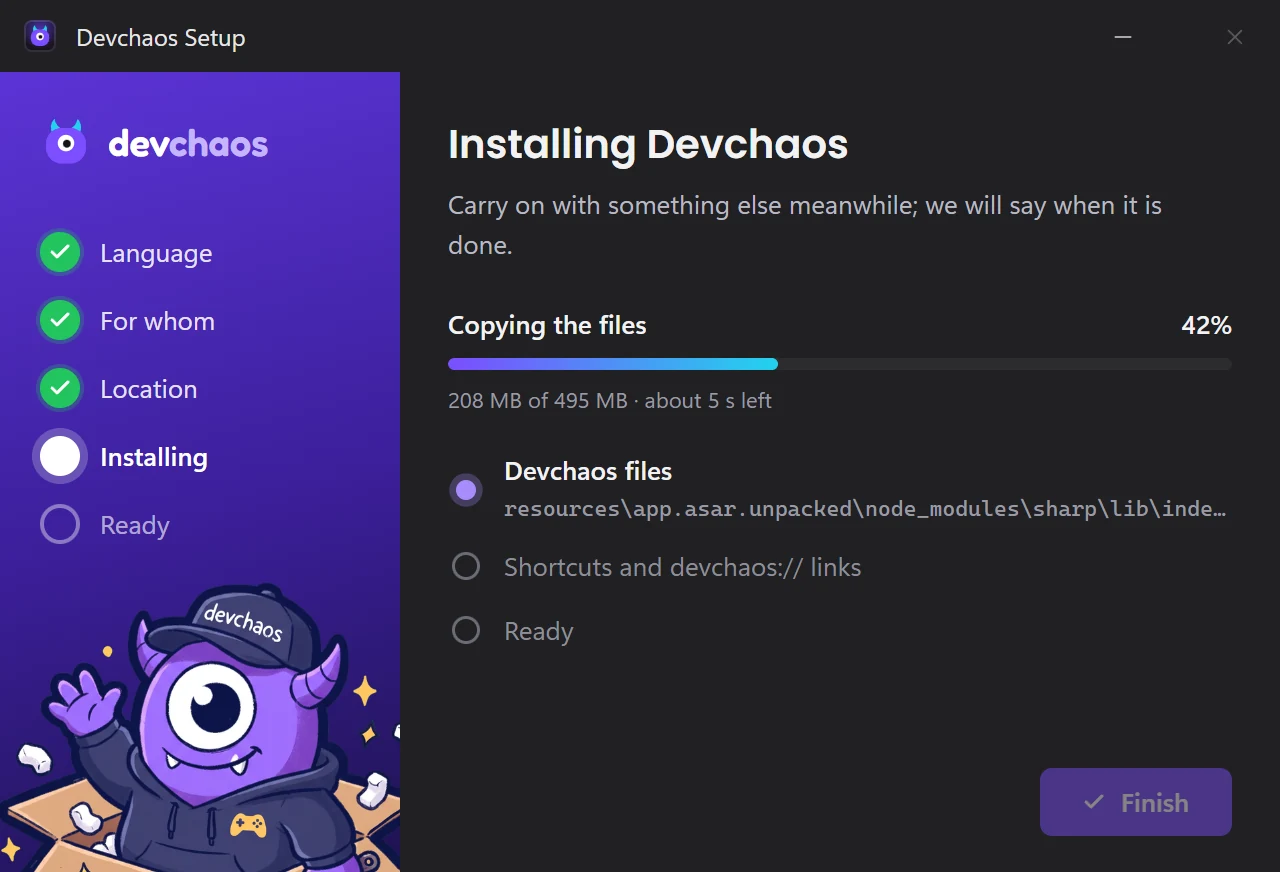
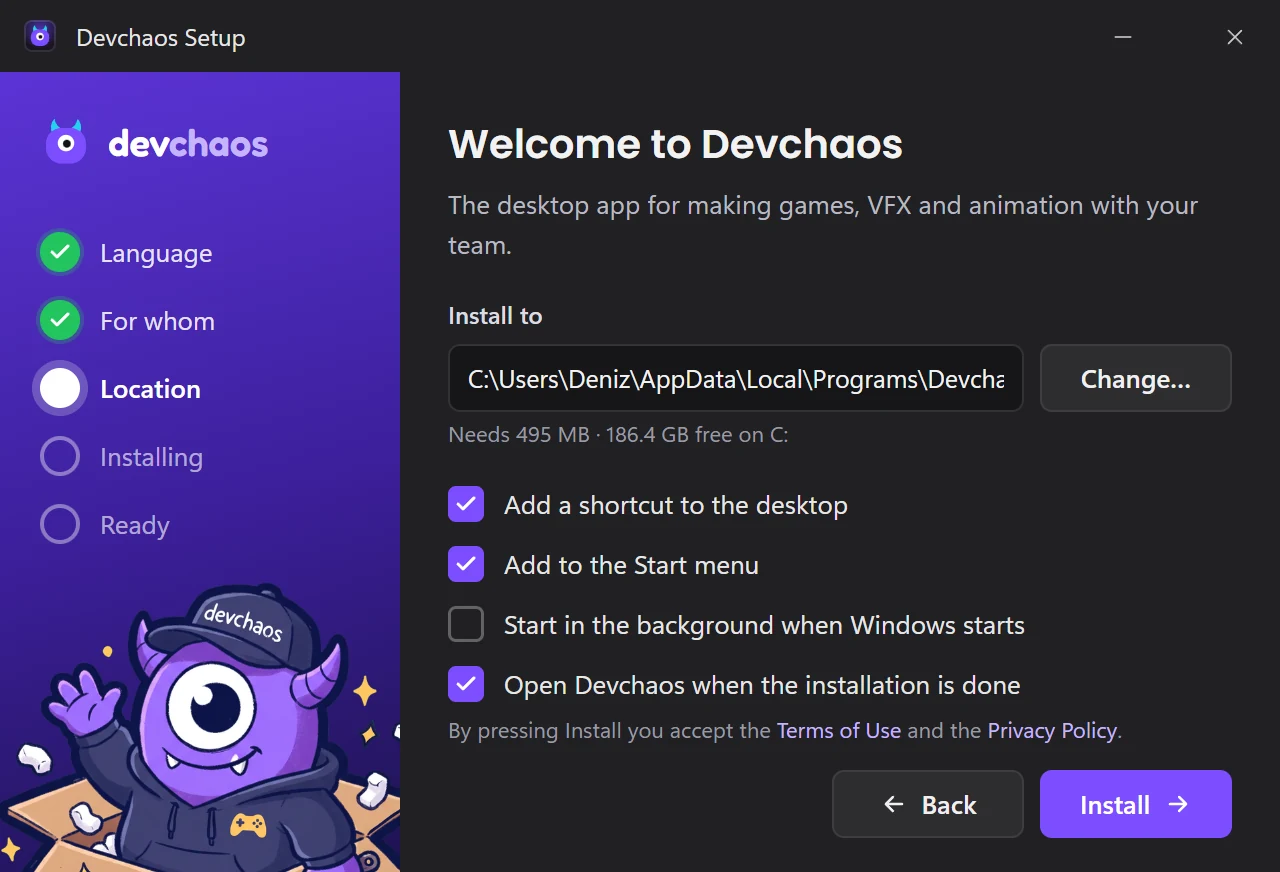
Install
You choose the location and shortcuts, and setup does the rest. Installing just for yourself doesn't need administrator rights.
-
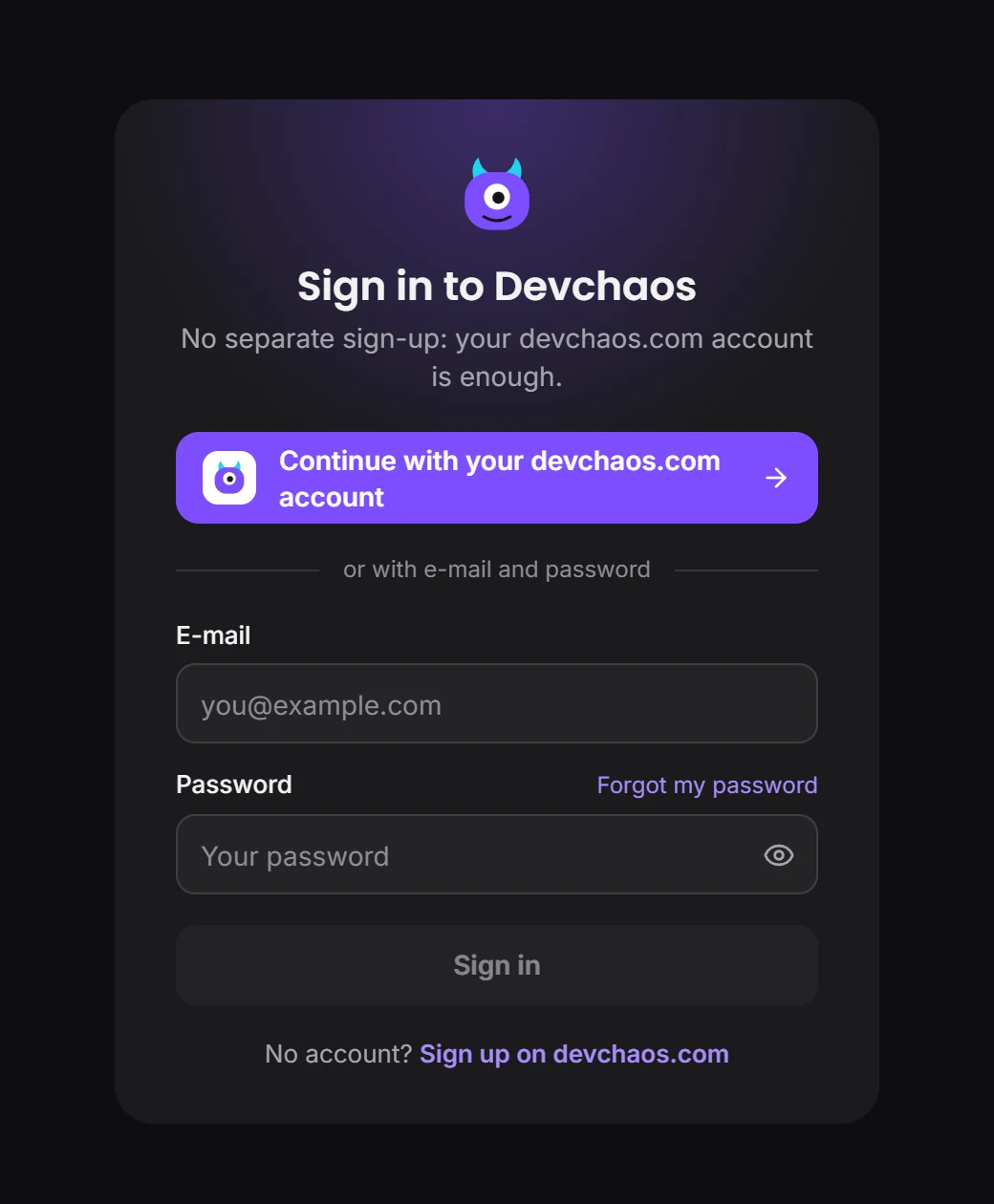
Sign in with your account
No separate sign-up. Your devchaos.com account is enough, and you can get in with one click from your browser.
-
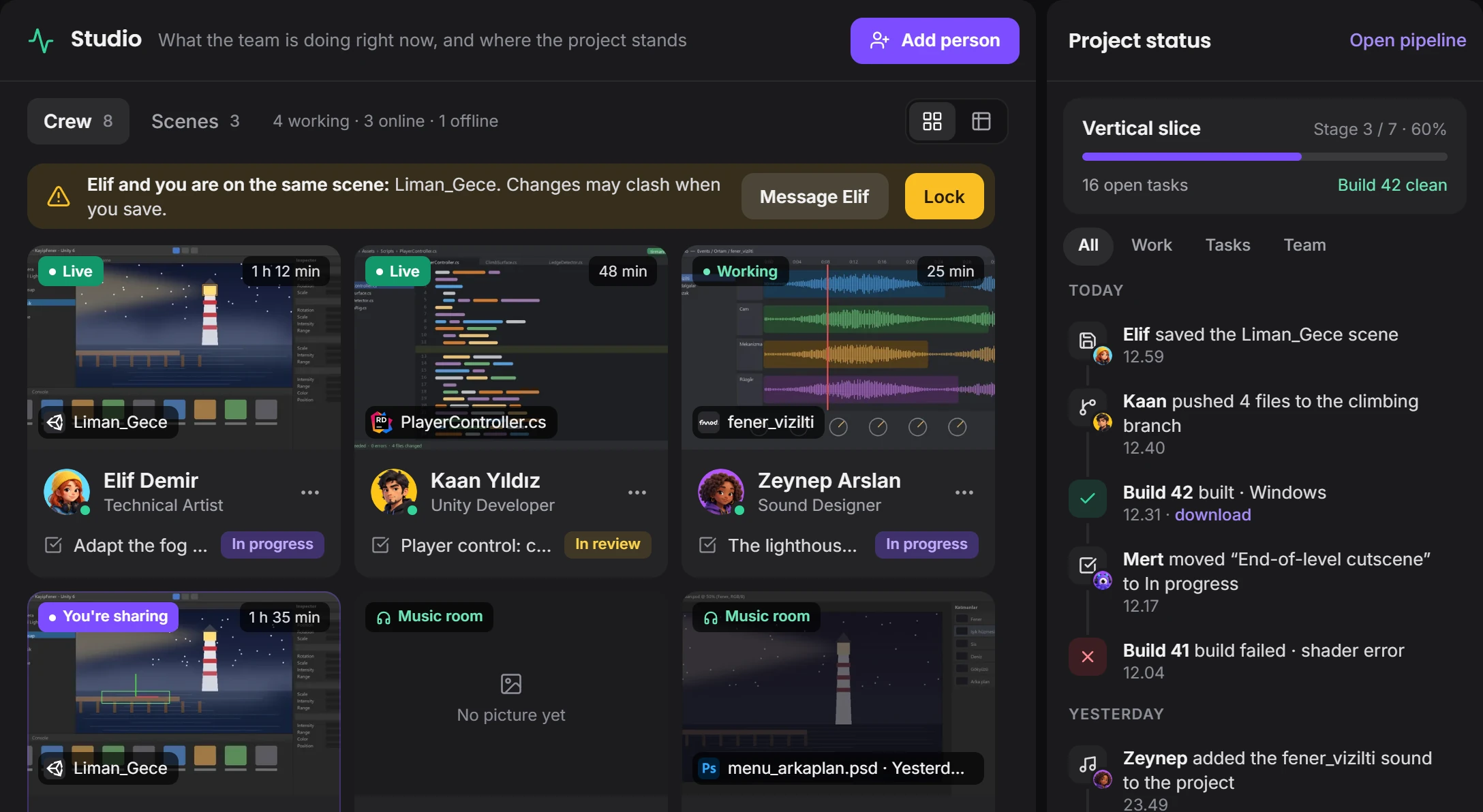
Start
On first sign-in a short tour opens on a sample project. Then you set up your project or join an invitation.
Requirements
- System
- Windows 10 or 11, 64-bit
- Space
- 495 MB of free space
- Account
- A free devchaos.com account
- Internet
- Needed to sign in and for team work
- Language
- English, Türkçe, Deutsch, Русский
After installing
- Updates
- New versions arrive inside the app
- Removal
- Remove it in Windows Settings › Apps
- Startup
- Starting with Windows is optional
- Visibility
- You choose what your team sees
Other devices
- Windows
- Available now
- macOS
- Coming next
- Linux
- Coming next
- iPhone and iPad
- Coming next
- Android
- Coming next
Questions
Why do I need to be a member?
You sign in to the app with your devchaos.com account, and the download uses the same account. Membership is free; the app's updates come through this account too.
Is it really free?
Yes. For a short while every edition is completely free, and we don't ask for payment details. We're in the test version.
Why does Windows warn me?
The app doesn't have a digital signature yet, so Windows doesn't recognise the publisher. Press "More info", then "Run anyway". Only download the file from this page.
Are there voice rooms?
Not yet, they're coming very soon. Today chat, threads, files, nudges, winks, screen sharing and handing over control all work.
Can I use it with my friends?
Yes. You don't need a project for a group chat; for channels, open a project and invite your friends.
Where does my data go?
Your messages and files are kept on devchaos.com; if you like, you can store a project's files on your own computer or in your own cloud. Details on the Privacy page.