1Room
Code is coloured in the message.
A code file is coloured by language inside the message and opens with line numbers. For a small piece, a code block is enough.
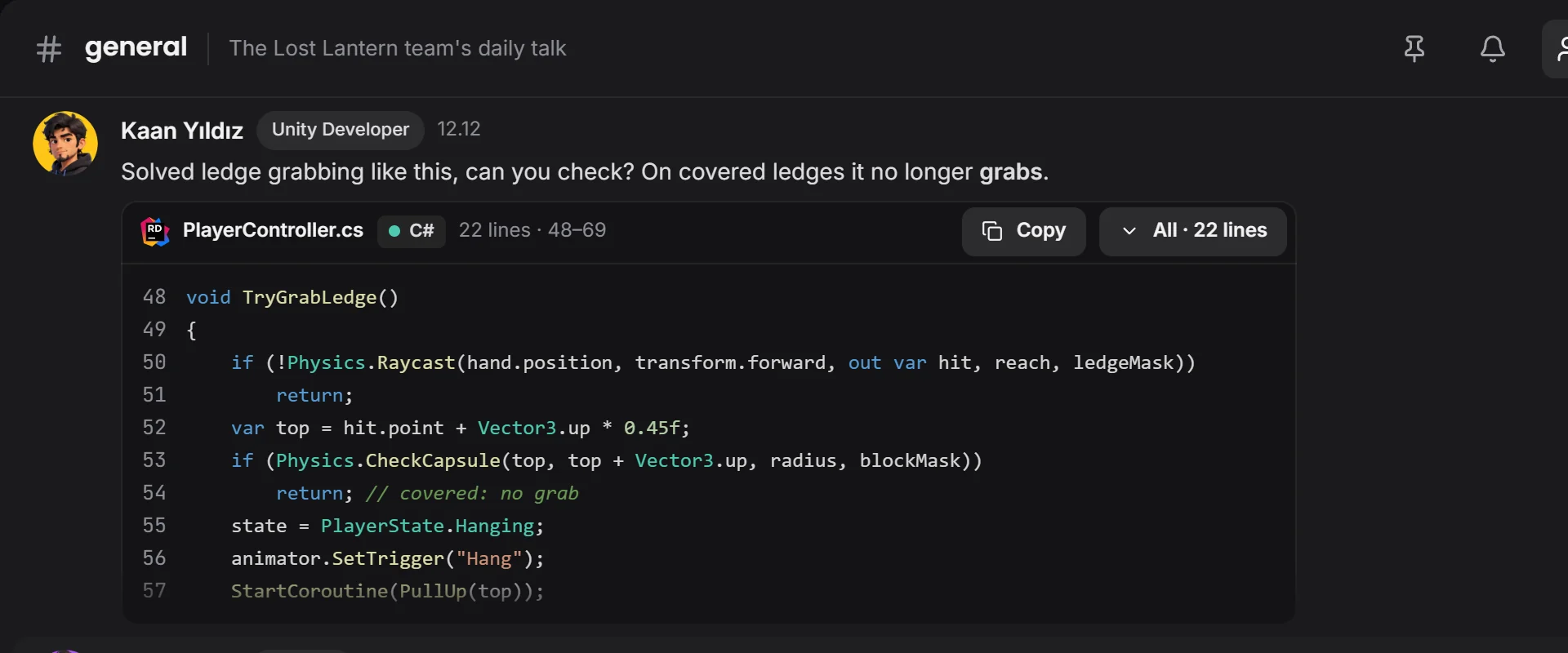 comes with its line spacing
By field
Games VFX Animation Film and TV Post production Ads and music videos XR / VRBy role
Programming Game and level design Script 2D art 3D and characters Animation VFX and compositing Sound and music Directing and productionSolutions/By role
The bug, the fix and the decision stay in one thread. Drop code in a message, open your window where you're stuck, close the job on the board.

Code is coloured in the message, and you solve the problem together with screen control.
Channels, chat, team and message box. Scroll and it falls into place.
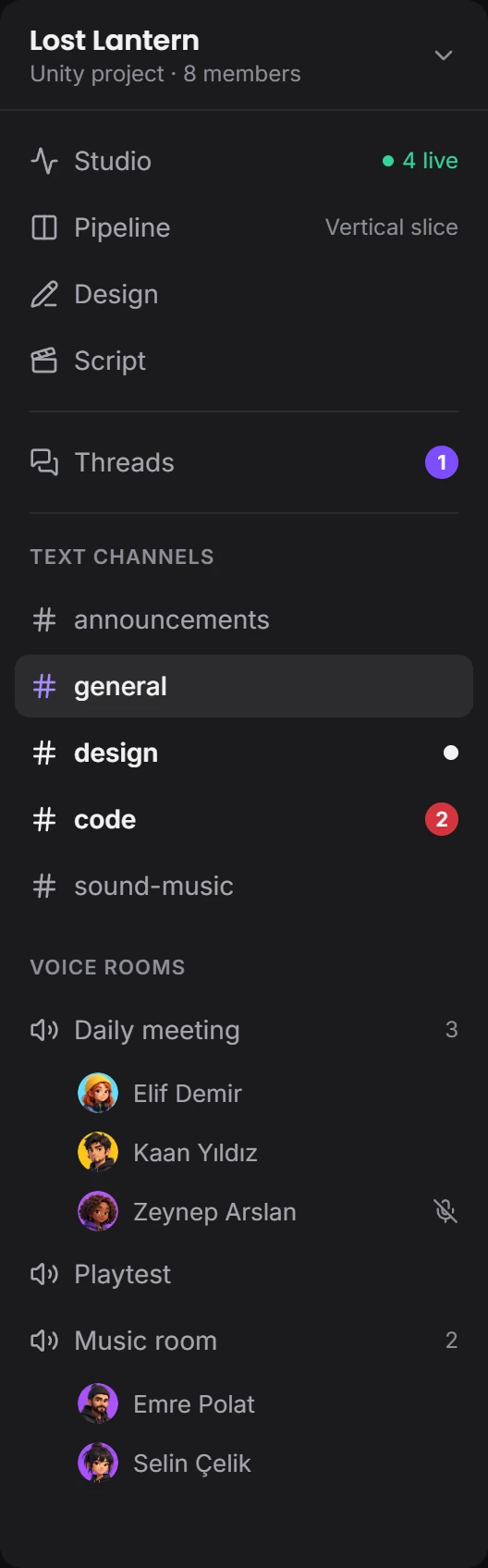
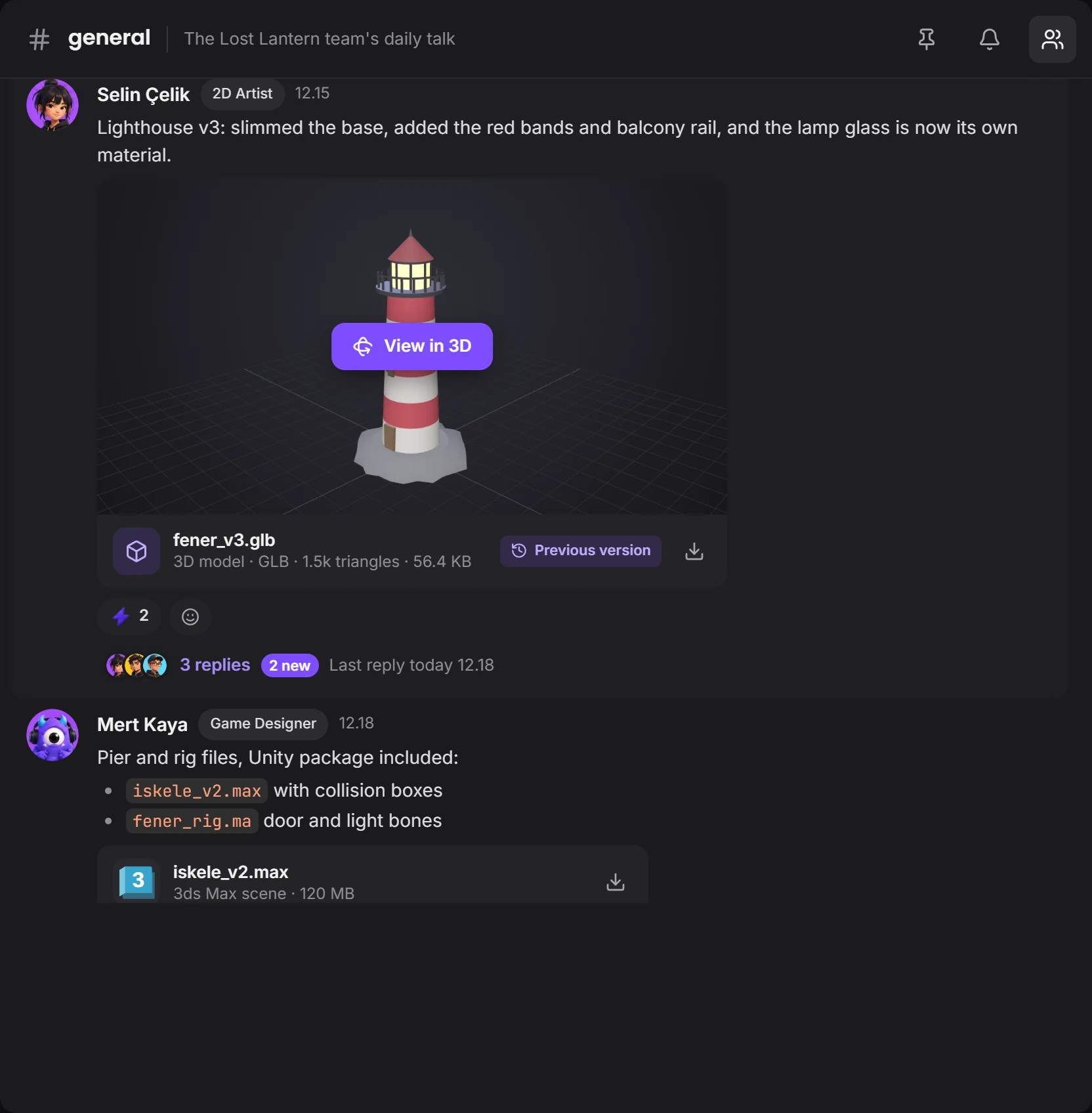


The message box brings code blocks, files and scheduled messages together.
A code file is coloured by language inside the message and opens with line numbers. For a small piece, a code block is enough.
comes with its line spacingOpen a thread under a message, replies gather at the side, and the channel stays clean. You hear about new replies in threads you follow.
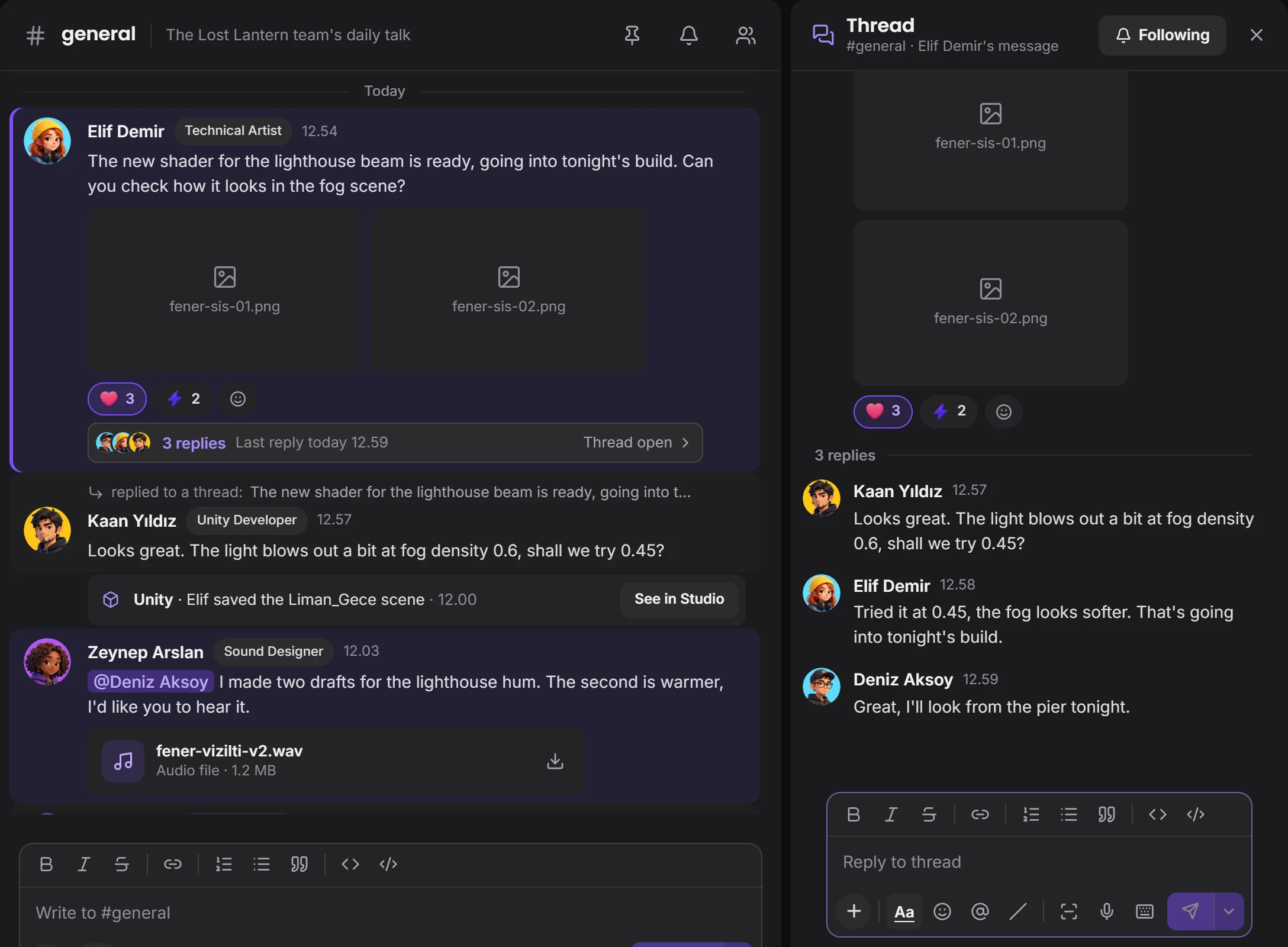 the channel stays cleanthe thread opens beside it
Share your IDE window, and with your permission a teammate takes the mouse and keyboard. You set the time and can take it back whenever you like.
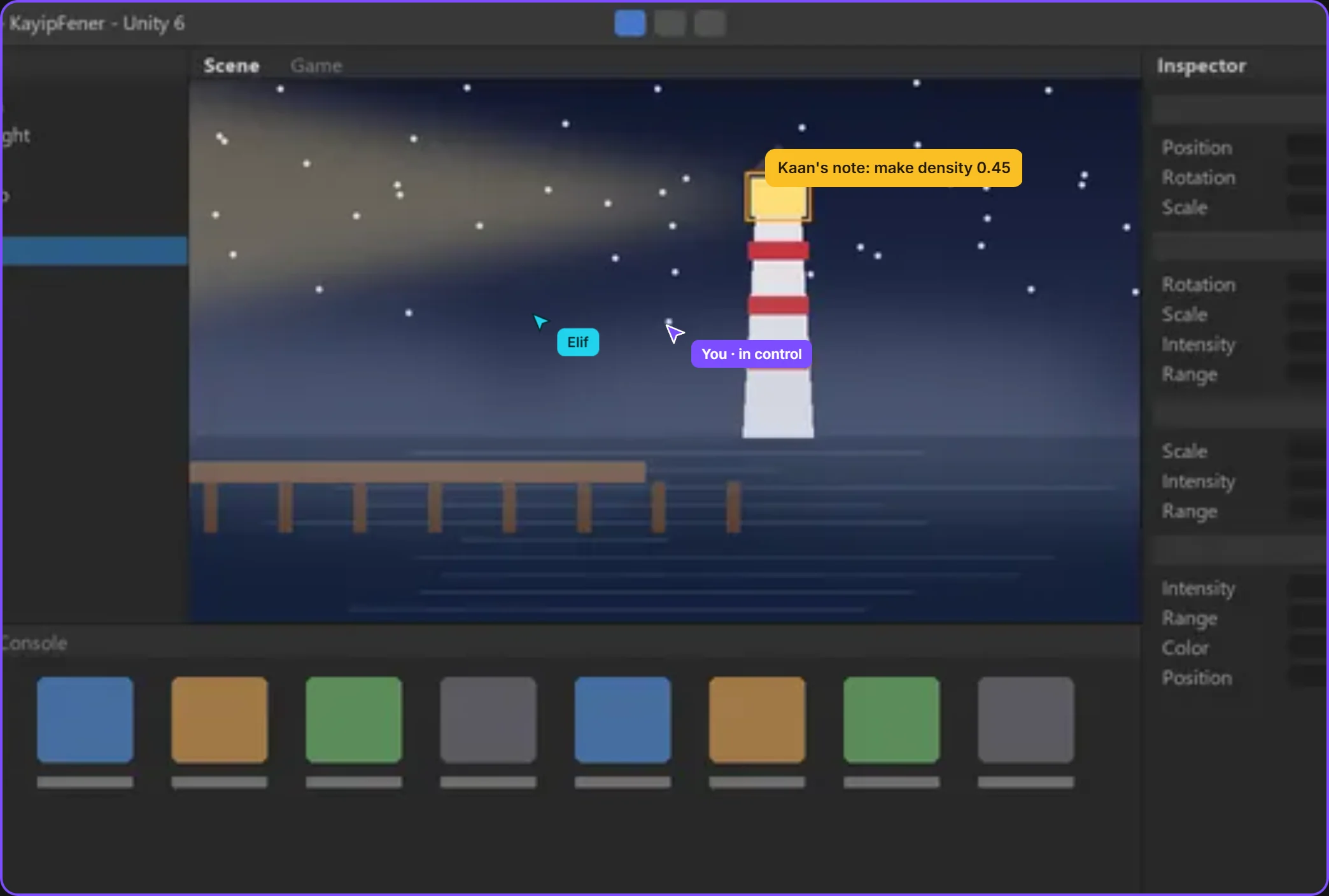 only this windowthe mouse moves with permission
The task window says who did what and when. Cards are dragged along and go to approval once handed in.
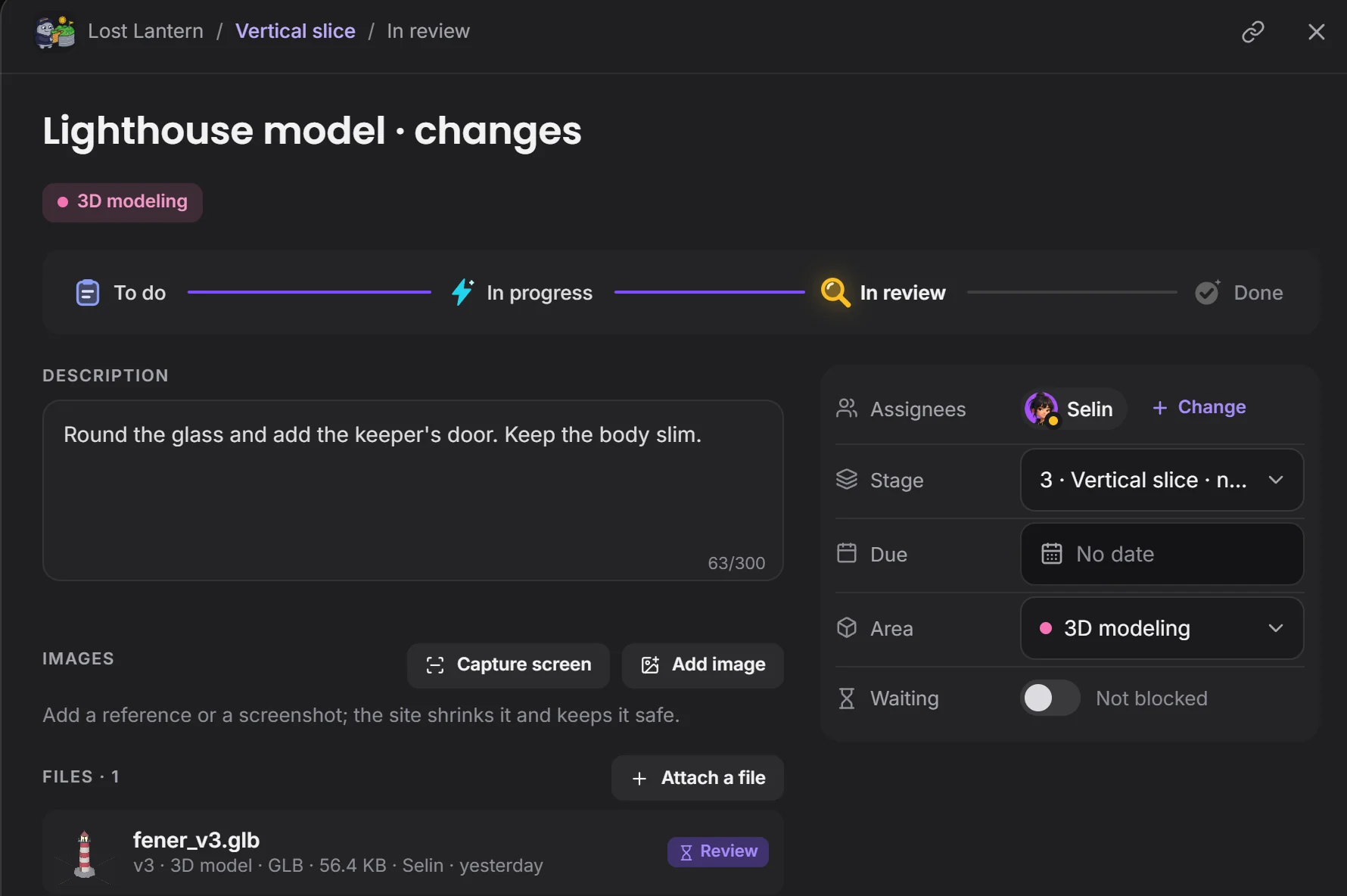 where the work standsthe file comes with its task
The problem's history stays in one place with its fix.
Devchaos doesn't replace your program, it stands beside it. Whichever one is open shows on your Studio card; there are 50 programs on the list, and you can add yours if it's missing.
 Rider
 VS Code
 Visual Studio
 Git
 Perforce
 Unity
 Unreal
 Godot
Its place in project settings is ready, and the connection is coming soon. Today you talk about code through messages, files or screen sharing.
Engine plug-ins are coming soon. Today Devchaos sees which program is open and the file name; with the plug-in, the open scene and selected object will show too.
You decide. In What your team sees you choose who sees it, and whether that's the program, the file name, the time, screenshots and how often; you can hide a program and set limits by working hours or by project.
Not yet, it's coming soon. Voice rooms and camera are on the way. For now you use the room's text chat during a screen share.