

Product
Solutions

By field

Games VFX Animation Film and TV Post production Ads and music videos XR / VR

By role

Programming Game and level design Script 2D art 3D and characters Animation VFX and compositing Sound and music Directing and production
Editions Platforms Community Sign in My page
Theme
Motion
Download for Windows

Solutions/By field

POST

It's clear which version is the latest.

In post, everything is a version. Which cut is final, which grade is approved, where the music is: the answer doesn't vanish into message history, it stays with the file.

Files, versions and approvals in one place.

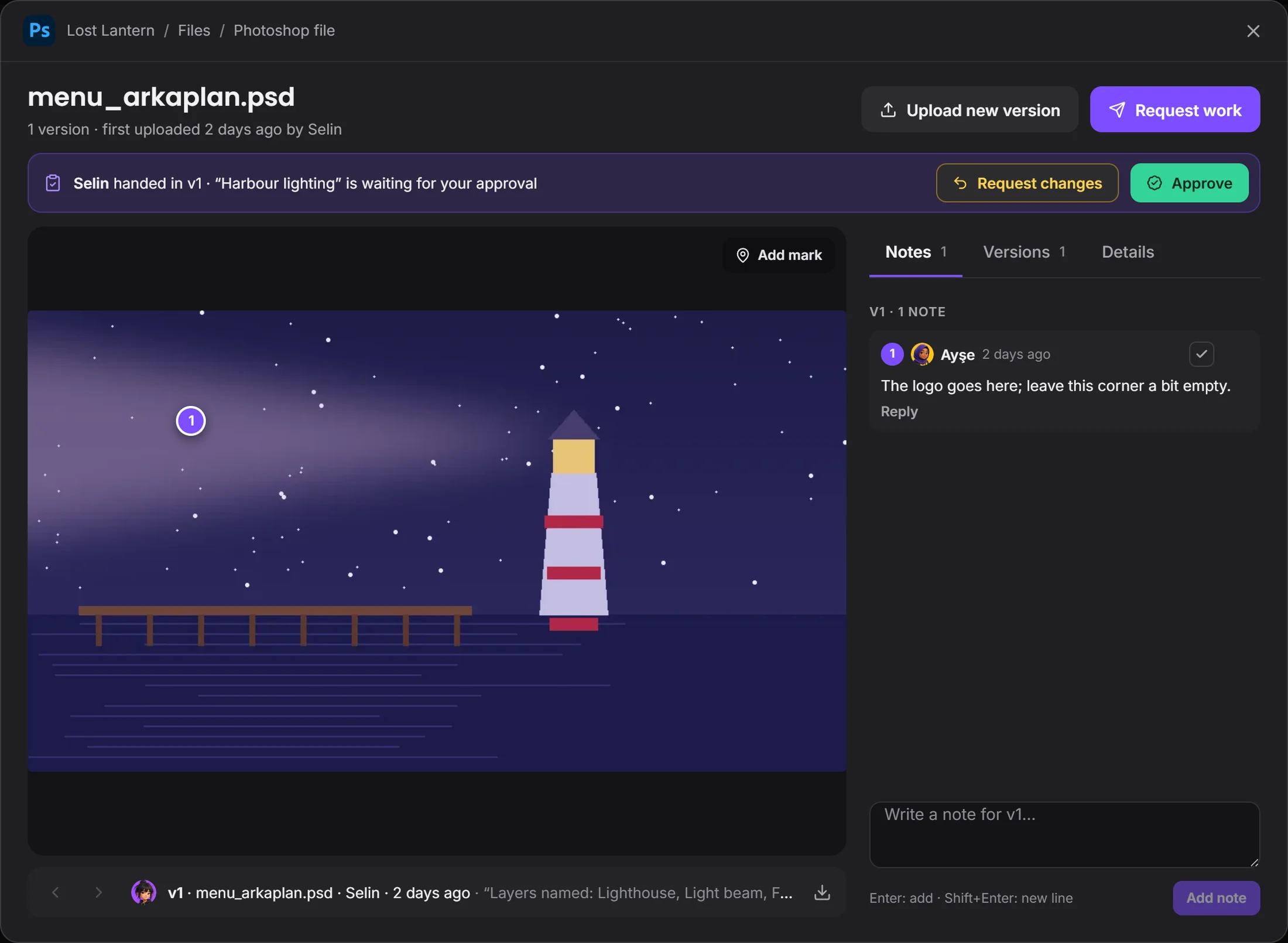
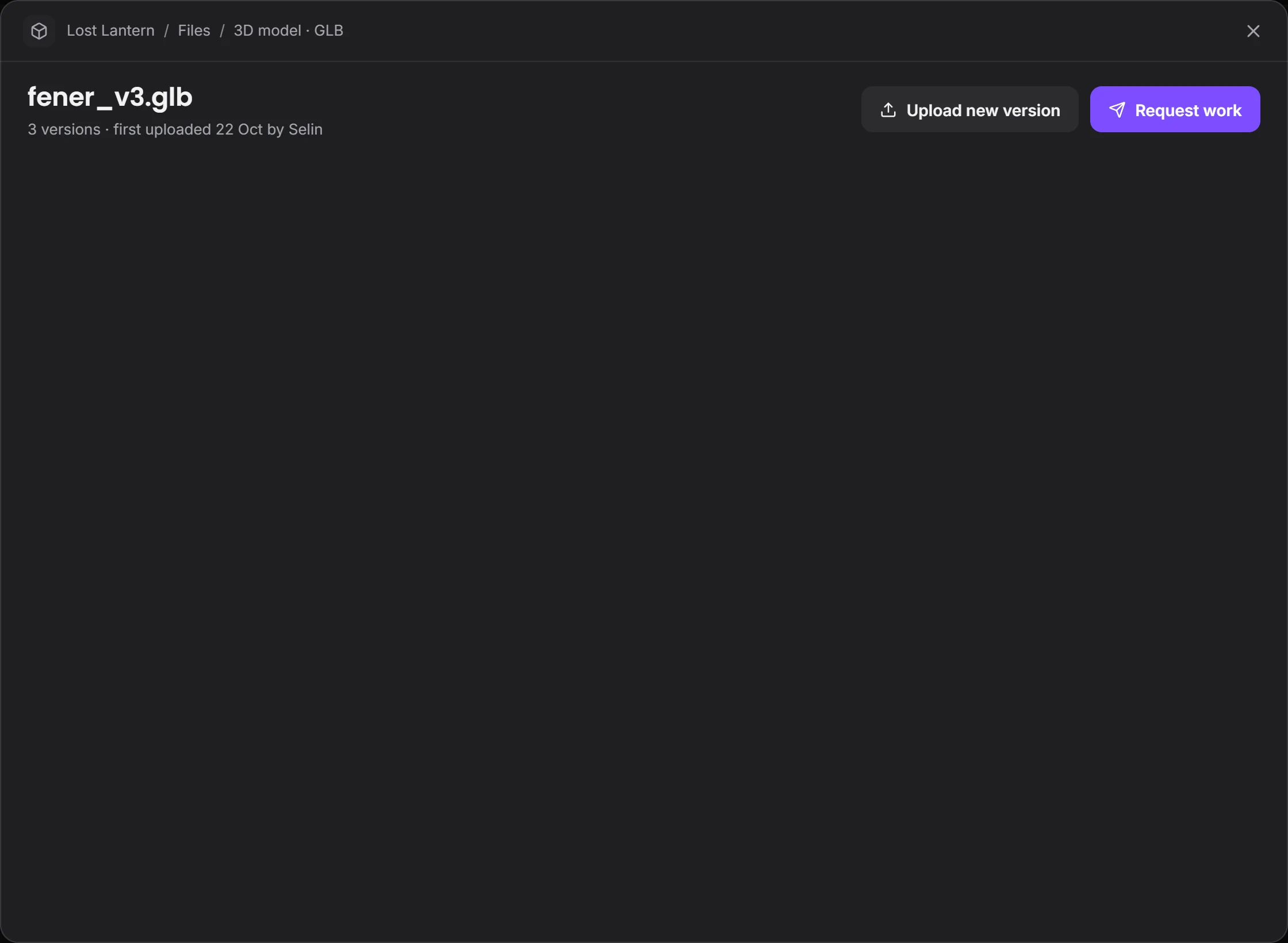
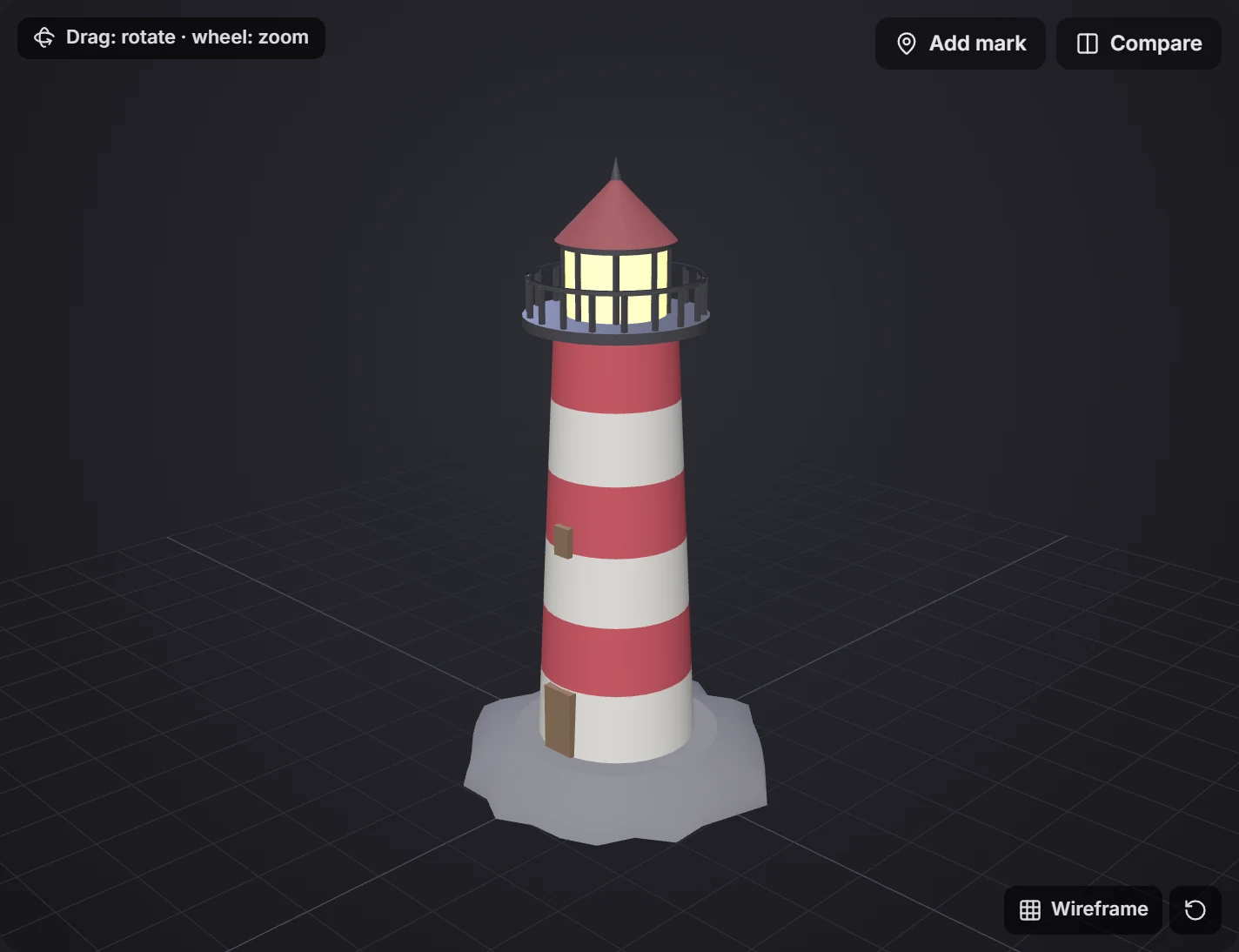
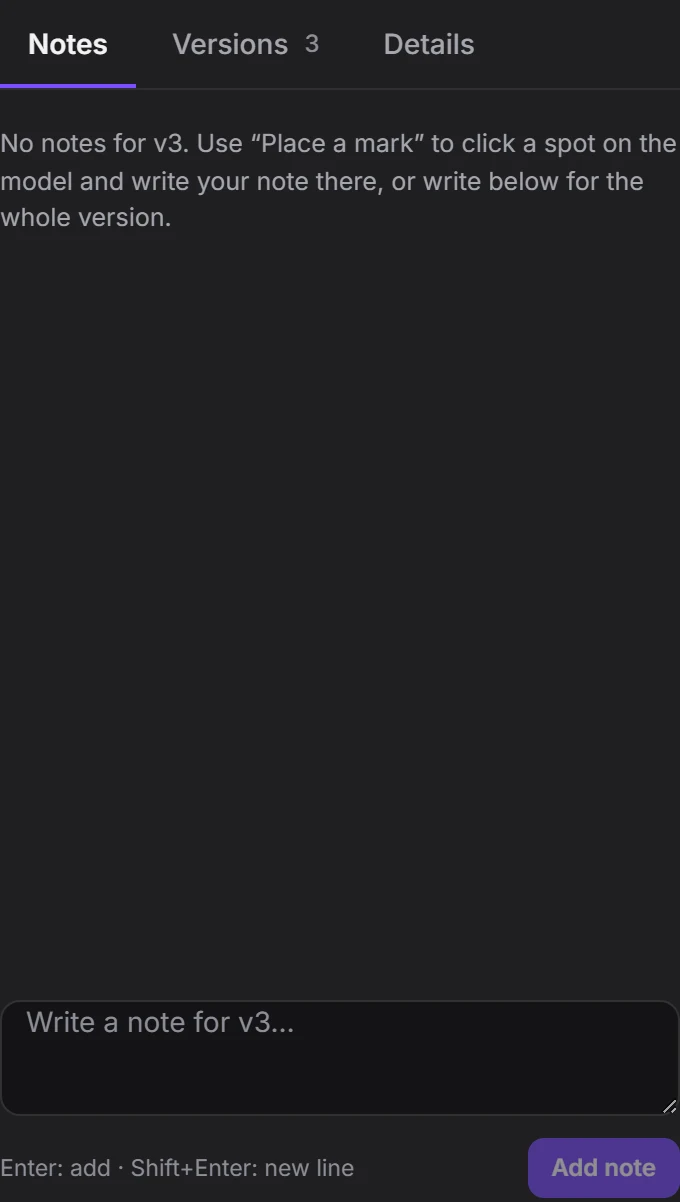
A file's page.

Versions, notes and the decision in one window. Scroll and it falls into place.

The file page: versions, notes and details in one place.

1Files

No more version mix-ups.

Files stay in the project, version by version. No more _final_final2: the new version lands on top of the file, and the old one is one click away.

Once it's decided, whoever did the work hears about it.
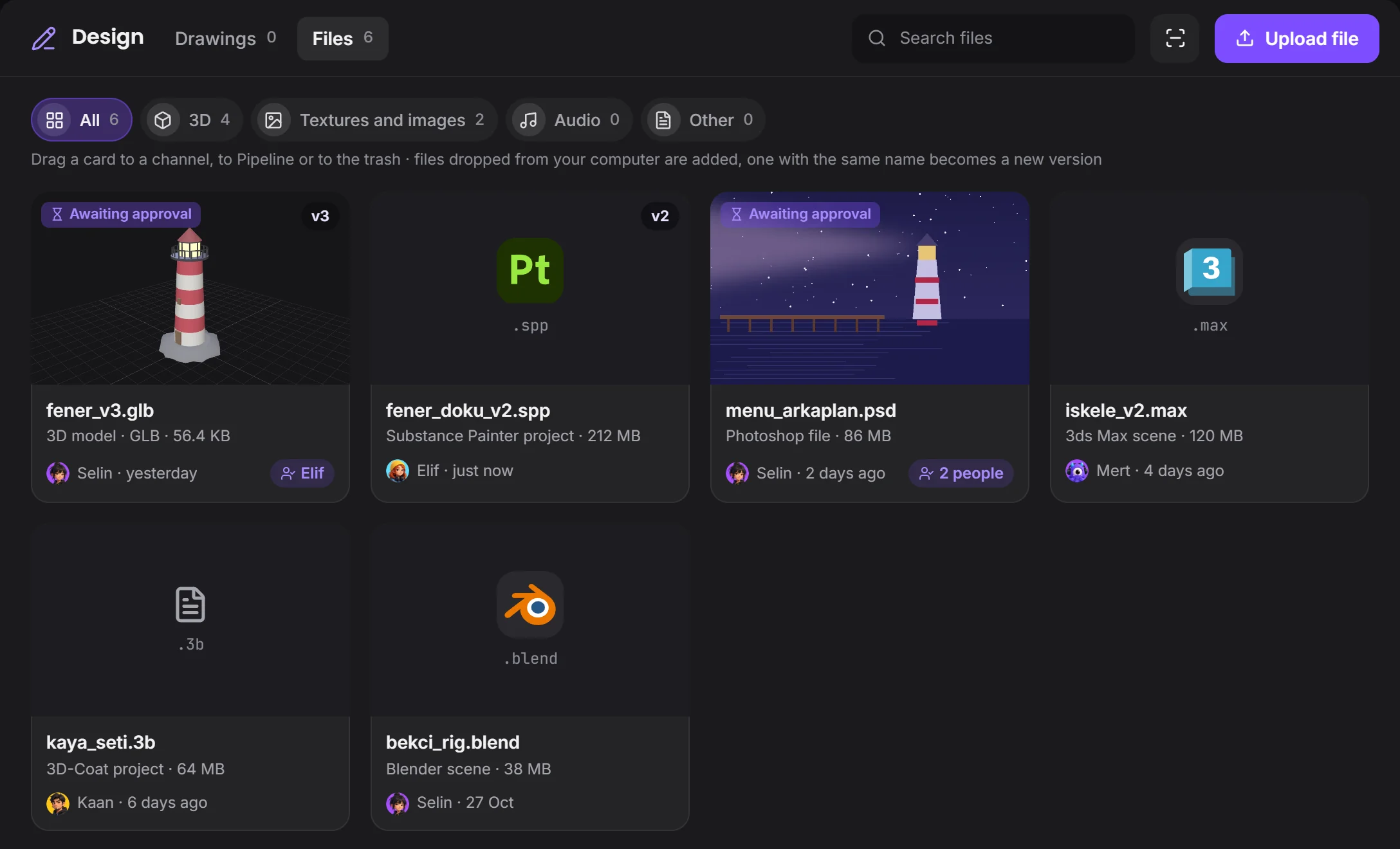
Files: project files with their versions and typesits version is hereits program's logo
2Review

Write the comment on the frame.

Put a mark on the picture and the note stays there. A file waiting for approval sits in yellow at the top of the page, and one button decides it.

A mark and a note on a picture, with Approve and Request changesthe mark is right hereapprove or request changes
3Pipeline

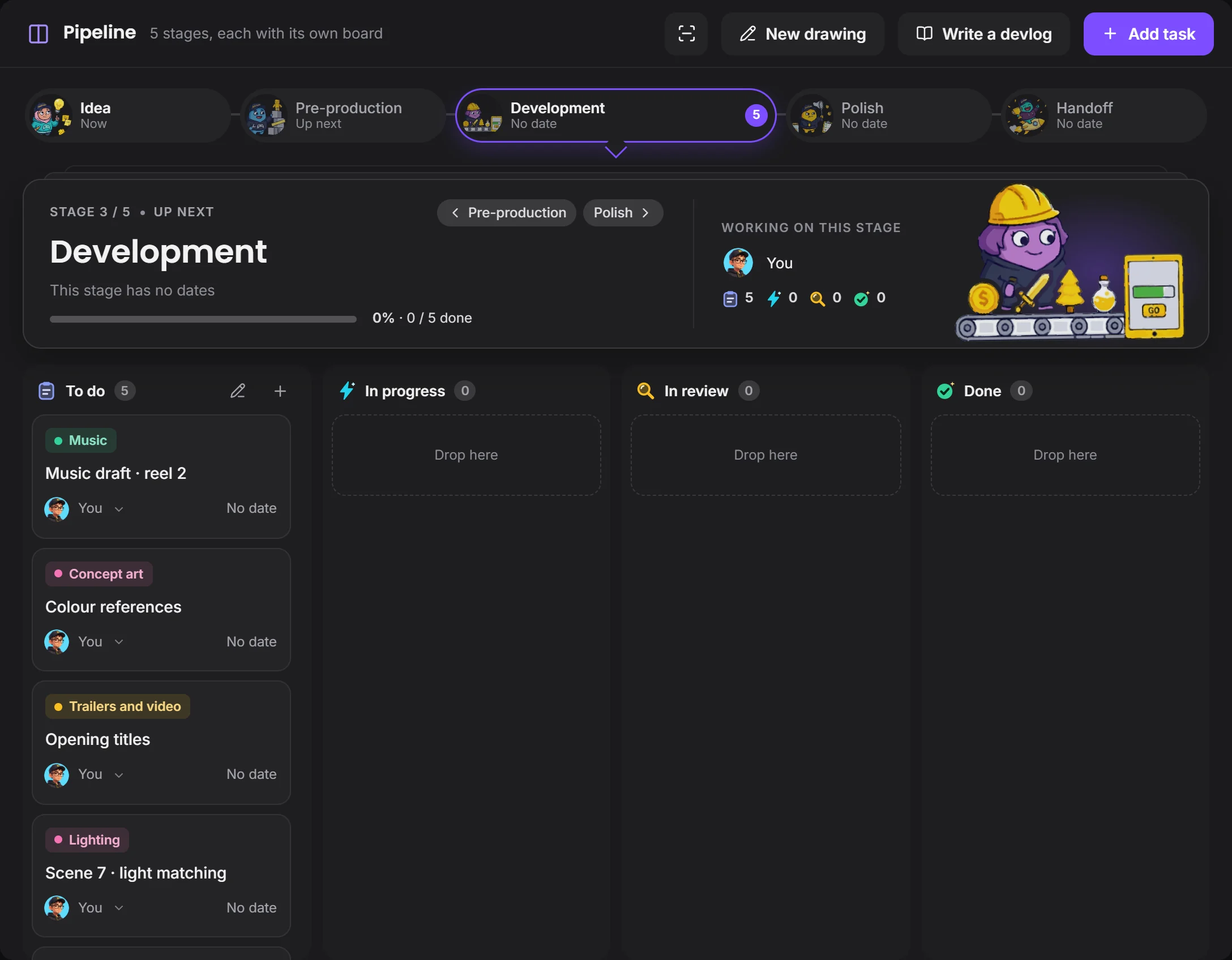
One board, all the way to handoff.

Development, Polish, Handoff: each stage's work on its own board. Who has the task, when it ends, which file is attached: it's all on the card.

Pipeline on a short film projectyou set the stagesevery task has its field
4Screen sharing

Show the timeline.

Share your program's window and the team watches live. Audio doesn't go through yet; to play a sound, drop the file in the channel and it plays in the message.

With Capture screen you draw on a clip of up to 10 seconds and send it where it belongs.

Screen sharing: the shared window and the room's chatonly this windowthe mouse moves with permission

How a delivery gets closed

Versions, comments and decisions stay together, so nobody works from an old file.

EditingThe file goes up
CommentWritten on the frame
ChangesA new version arrives
ApprovalThe decision is written on the file
HandoffThe task closes

Your programs stay the same.

Devchaos doesn't replace your program, it stands beside it. Whichever one is open shows on your Studio card; there are 50 programs on the list, and you can add yours if it's missing.

Premiere Pro
DaVinci Resolve
After Effects
Nuke
Reaper
Audacity
OBS

Questions

Do video files play in messages?

Yes. MP4, WebM and MOV play inside the message, and so do audio files. You can put marks on pictures; marks on video aren't there yet.

Is there voice chat?

Not yet, it's coming soon. Voice rooms and camera are on the way. For now you use the room's text chat during a screen share.

Where do our files live?

You choose from three places: the Devchaos server (2 GB per project), a computer left on at the office, or your own cloud storage (such as Cloudflare R2, Amazon S3 or Backblaze).

Can we set our own pipeline stages?

Yes. You pick ready-made stage names such as Idea, Pre-production, Development, Polish and Handoff, put them in order, and give each an icon and a date. You can save the set as a template and use it in another project.

Next solutionAds and music videos →

ADS

Short deadline, small team, one board.