1Templates
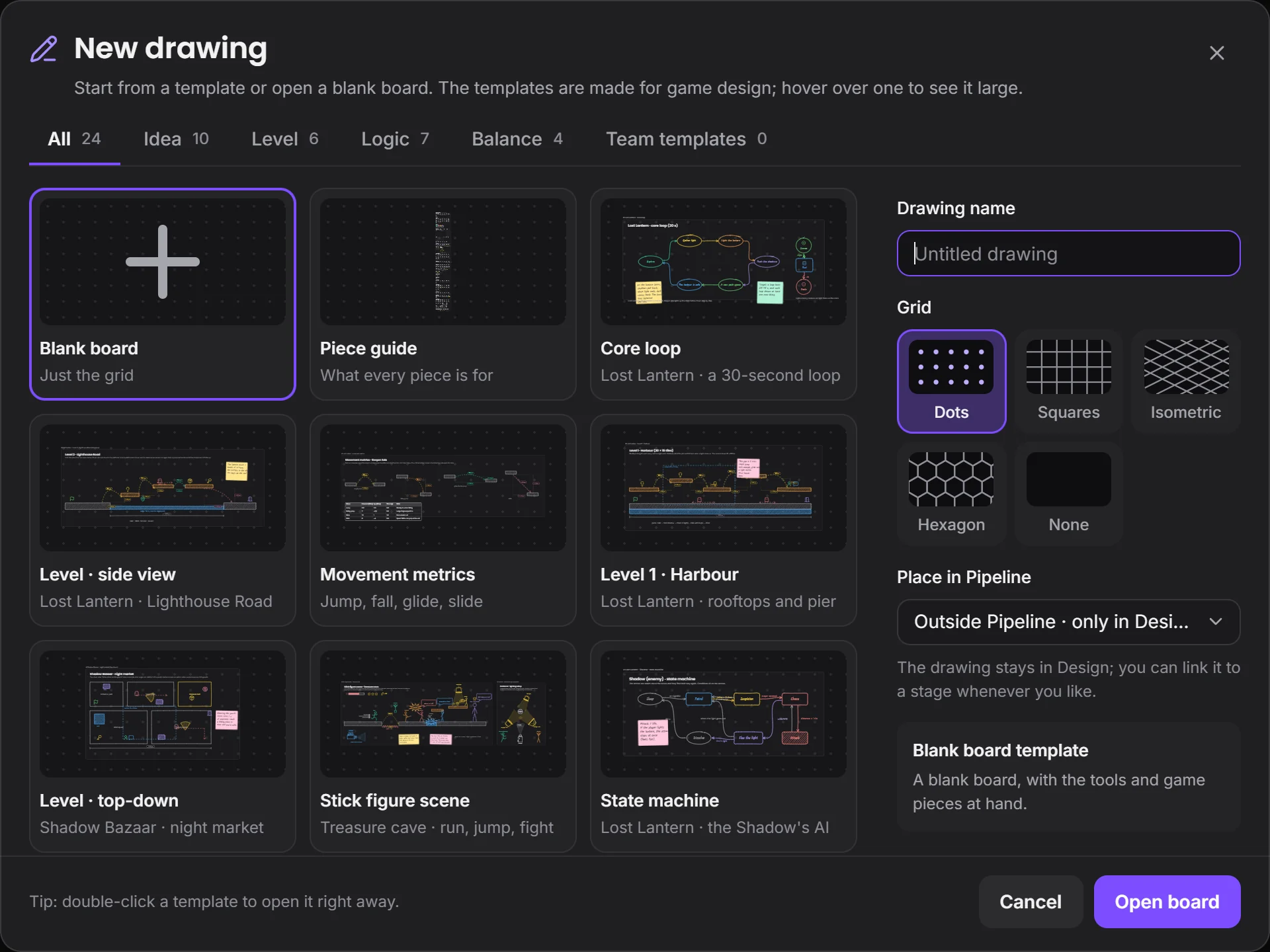
Start from 23 ready-made templates.
Core loop, level, state machine, dialogue tree, economy, GDD, HUD: you start from a filled-in example instead of a blank page. You can save your own templates too.
By field
Games VFX Animation Film and TV Post production Ads and music videos XR / VRBy role
Programming Game and level design Script 2D art 3D and characters Animation VFX and compositing Sound and music Directing and productionSolutions/By role
Draw the loop, the level, the enemy and the dialogue before you open the engine. Drawings are to measure, the team works on them at once, and each one is tied to a stage.
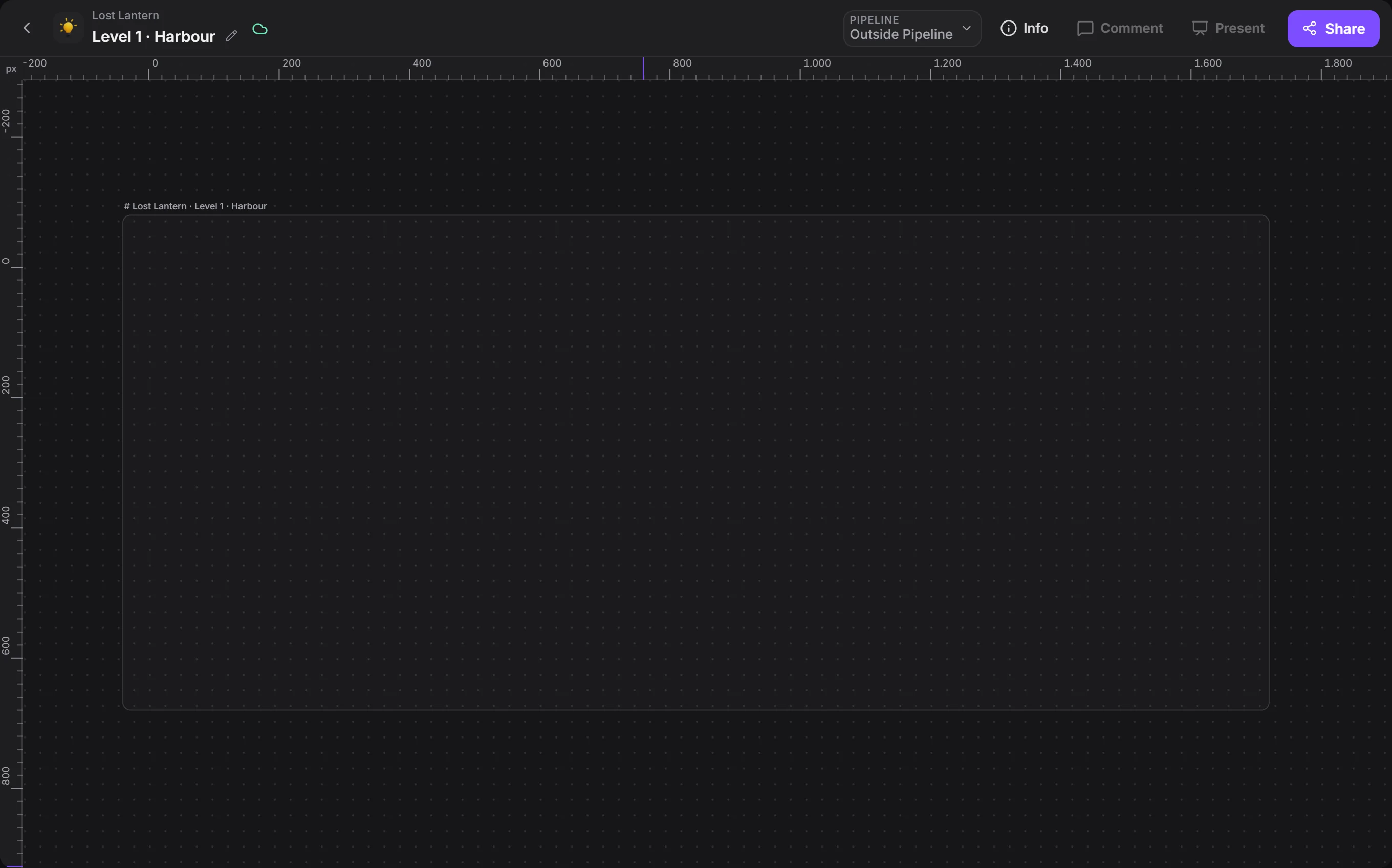
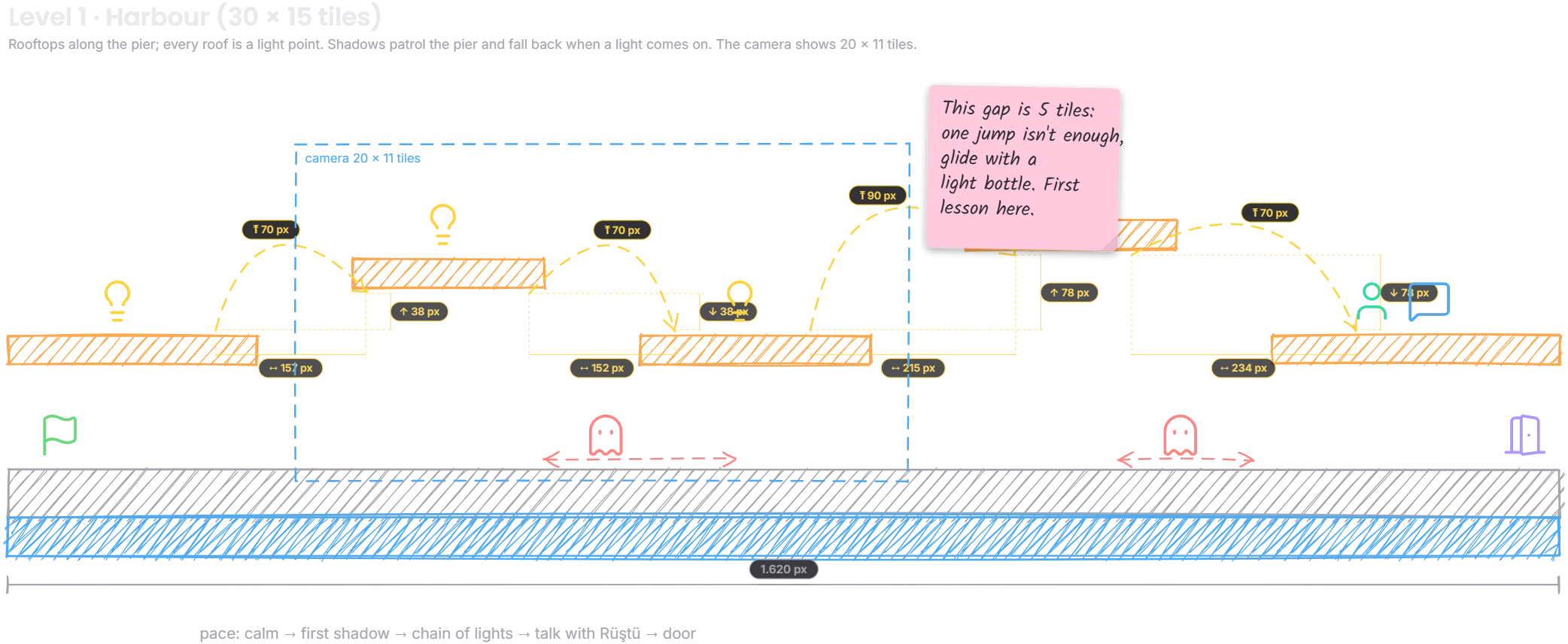
Draw levels to measure, start from 23 ready-made templates.
Scroll and it falls into place.


Drawings export as PNG or SVG.
Core loop, level, state machine, dialogue tree, economy, GDD, HUD: you start from a filled-in example instead of a blank page. You can save your own templates too.
Draw the player's thirty seconds with arrows. Smart arrows route around shapes, and when a box moves, the line follows.
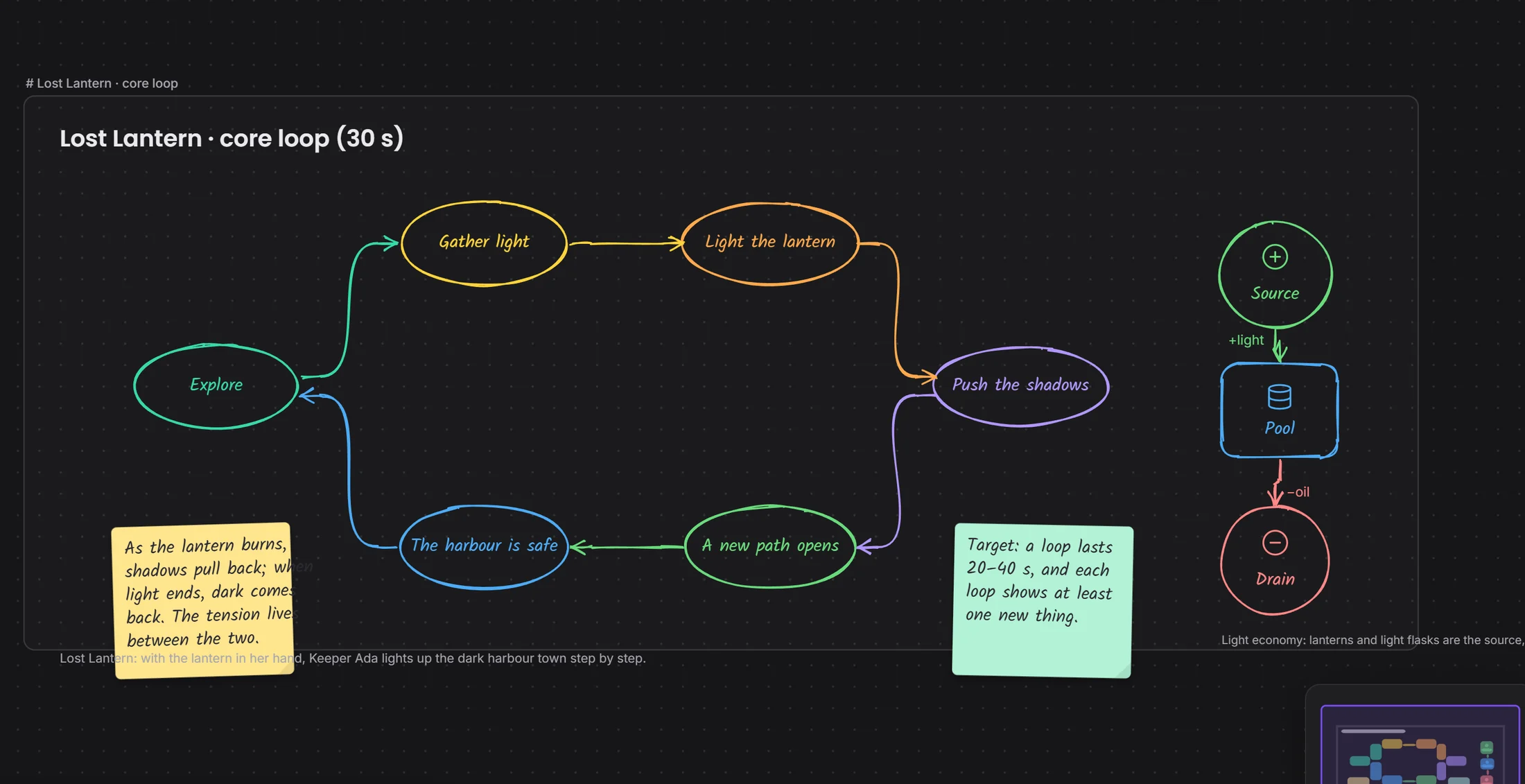 loop stepseconomy pieces
In a state machine, conditions are written on the arrows; in a dialogue tree, choices branch. The programmer looks at the same drawing.
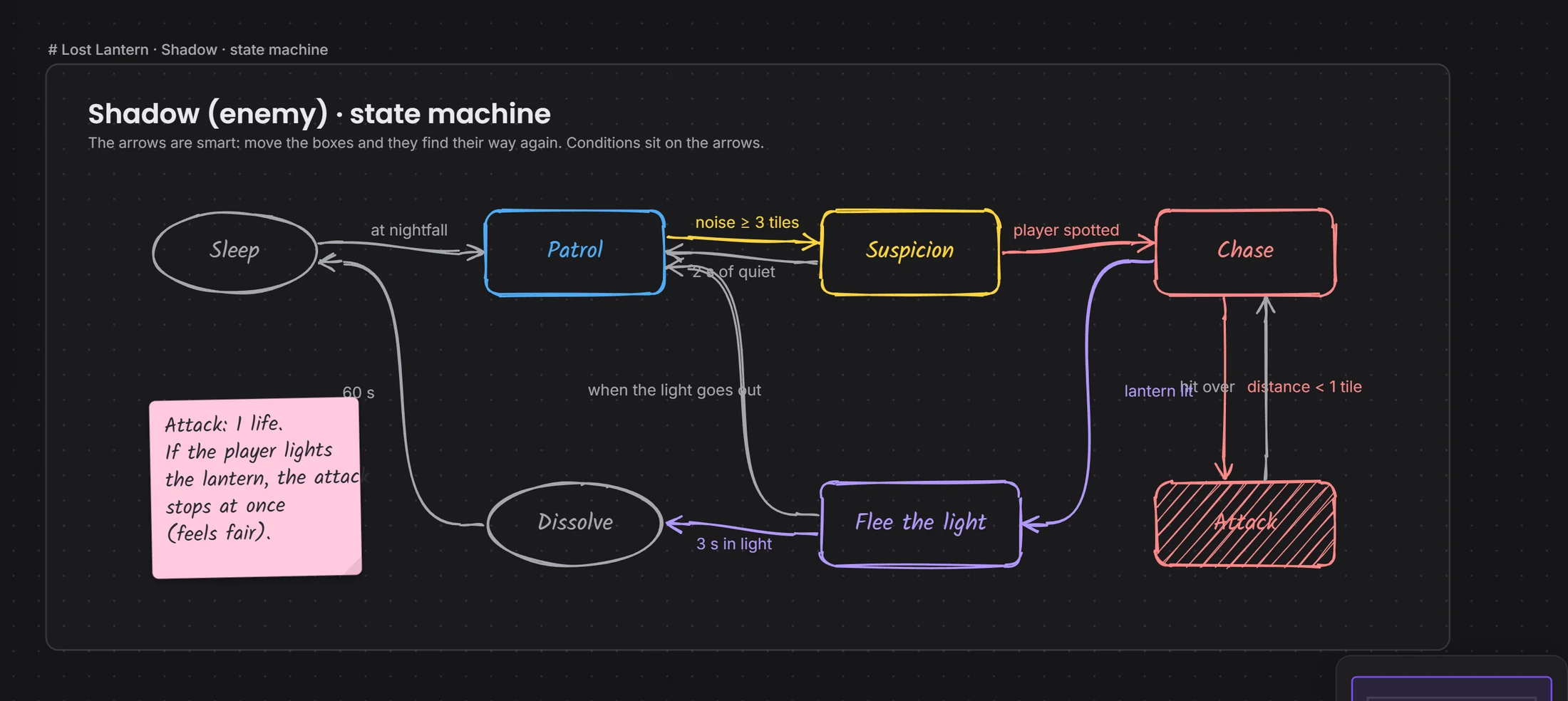 the condition sits on the arrowrule note
Jump height, gap width, glide time: the measure piece sits on the drawing, with the table beside it.
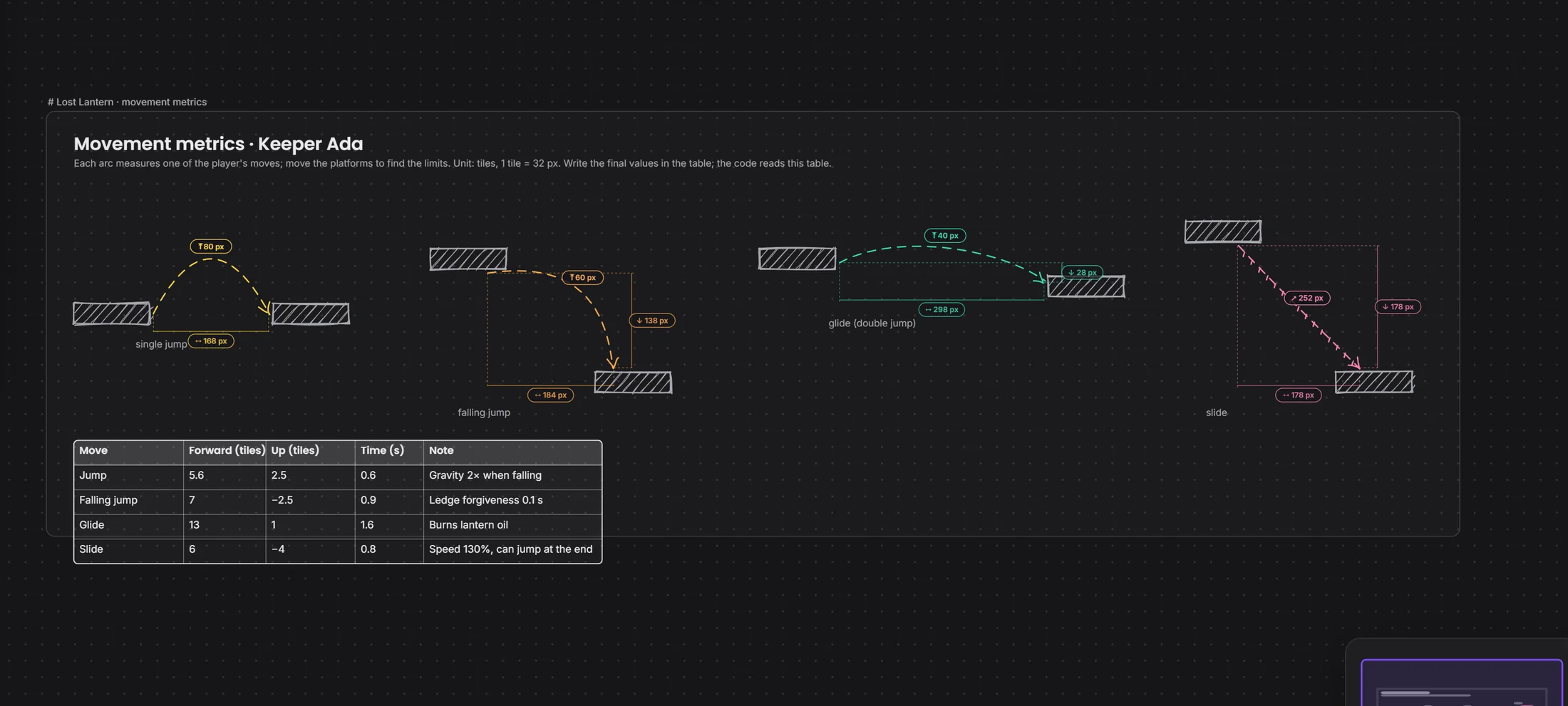 jump arcmeasure table
A drawing tied to a stage becomes a card in Pipeline.
Devchaos doesn't replace your program, it stands beside it. Whichever one is open shows on your Studio card; there are 50 programs on the list, and you can add yours if it's missing.
 Unity
 Unreal
 Godot
 Tiled
 LDtk
 Figma
The templates were made for game design. On a blank drawing, camera, light, stick figure and measure pieces work for any job, and you can save your own templates too.
Engine plug-ins are coming soon. Today Devchaos sees which program is open and the file name; with the plug-in, the open scene and selected object will show too.
Not yet, it's coming soon. Voice rooms and camera are on the way. For now you use the room's text chat during a screen share.
You choose from three places: the Devchaos server (2 GB per project), a computer left on at the office, or your own cloud storage (such as Cloudflare R2, Amazon S3 or Backblaze).