

Product
Solutions

By field

Games VFX Animation Film and TV Post production Ads and music videos XR / VR

By role

Programming Game and level design Script 2D art 3D and characters Animation VFX and compositing Sound and music Directing and production
Editions Platforms Community Sign in My page
Theme
Motion
Download for Windows

Solutions/By field

GAMES

All the work of a game in one window.

Design, code, art and sound meet in one project. Drawings link to tasks, tasks to files, files to approvals; nobody has to ask where anything is.

Draw the level, open the task, everyone works in one place.

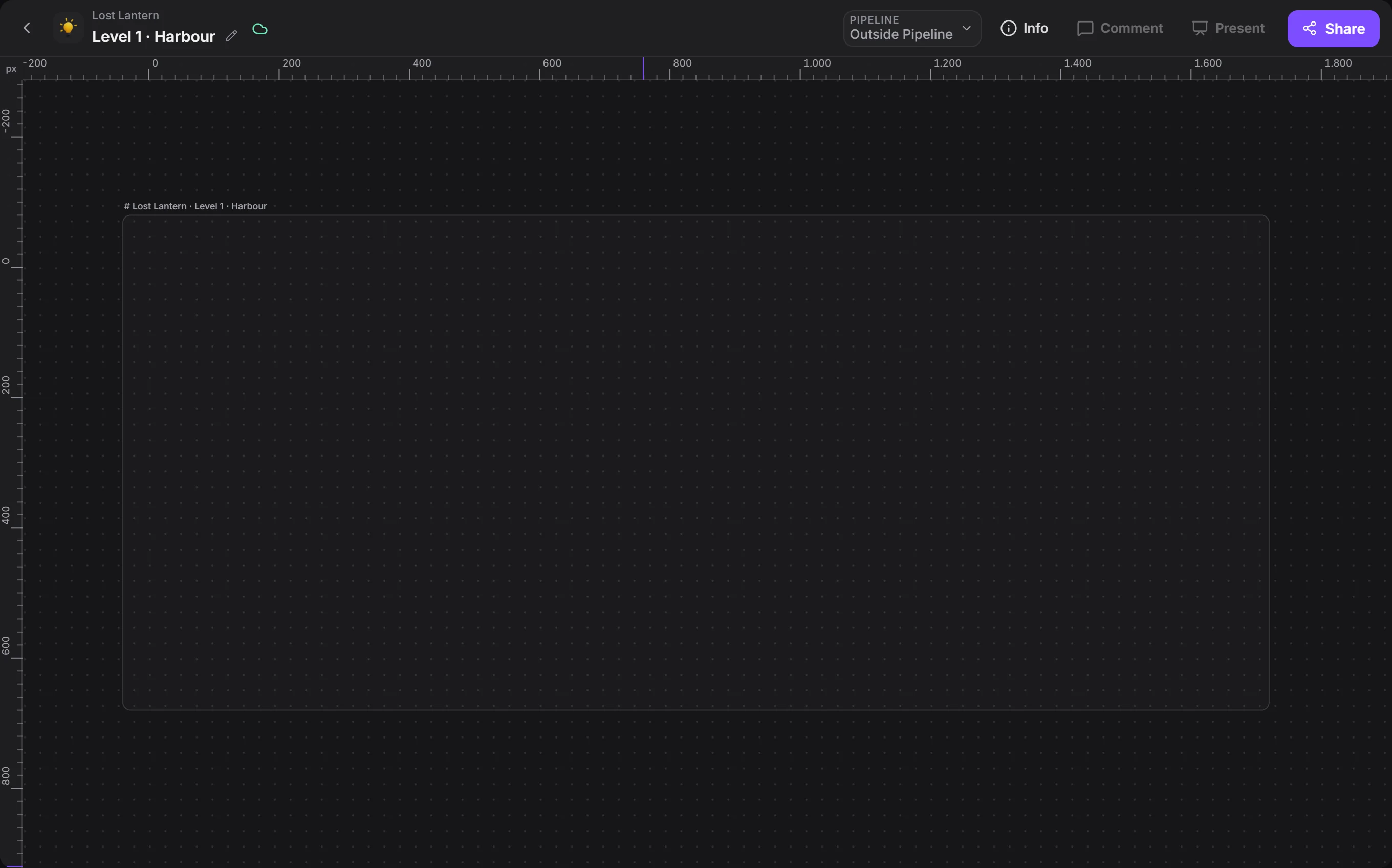
A level starts with a drawing.

We took the Drawing window apart. Scroll and it falls into place.

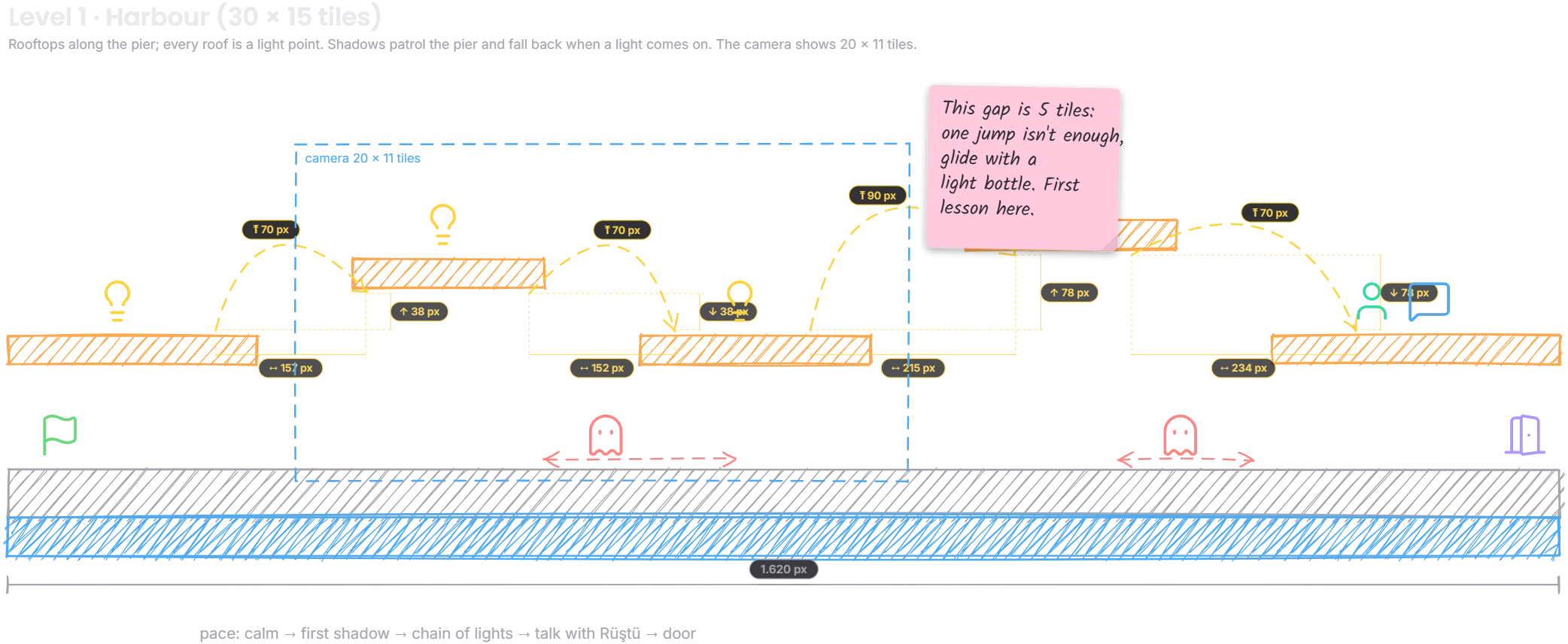
Level 1 · Harbour: one of the app's ready-made templates.

1Drawing

Draw the level to measure.

Ground, platforms, jump arcs and camera frames come as ready pieces. You read distance in tiles or pixels, and the team works on one drawing at the same time.

There are 23 ready-made templates for core loops, state machines, dialogue trees and HUDs.
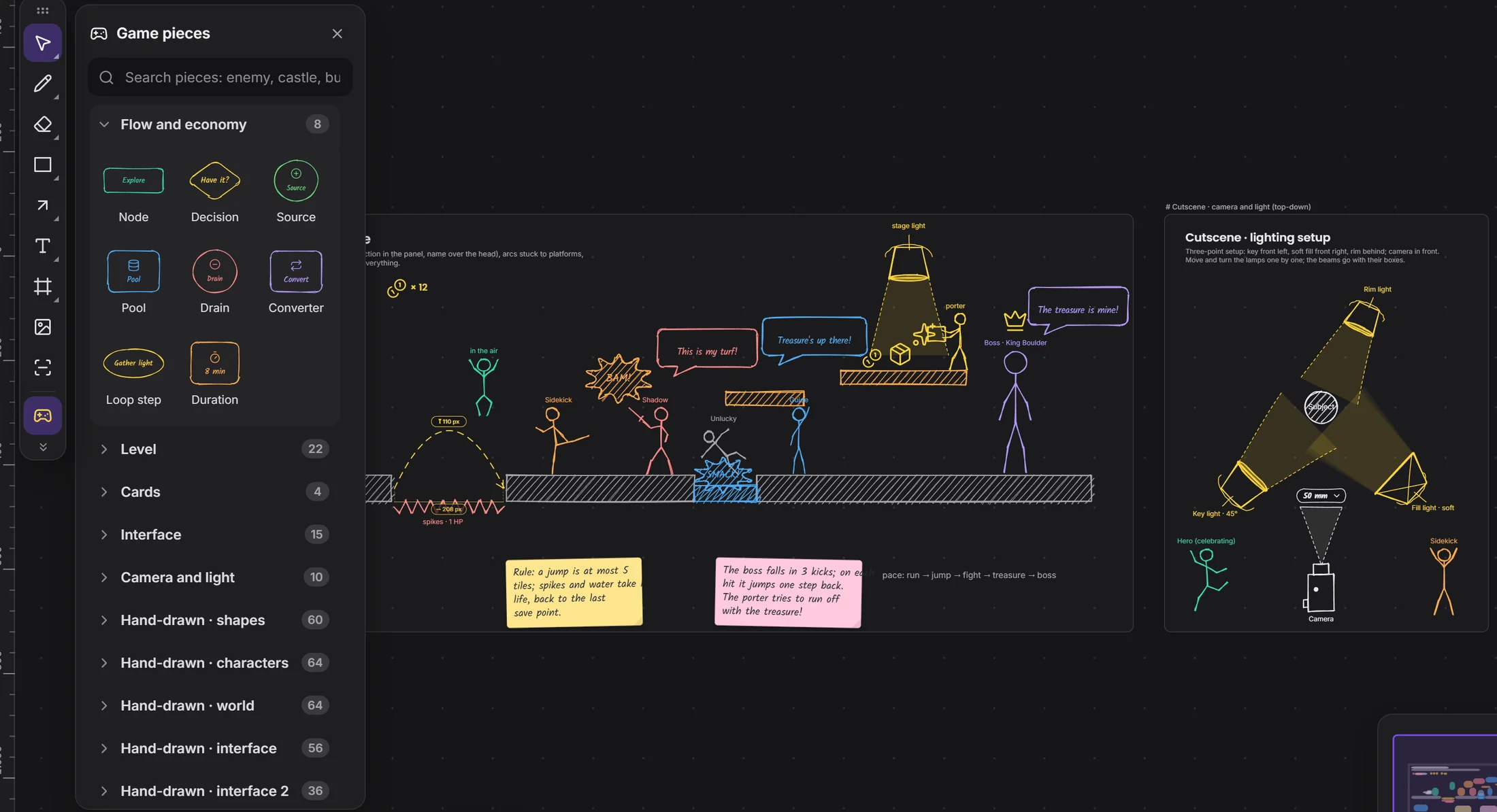
The ready pieces library in Drawingready piecesposed stick figurecamera and lens
2Pipeline

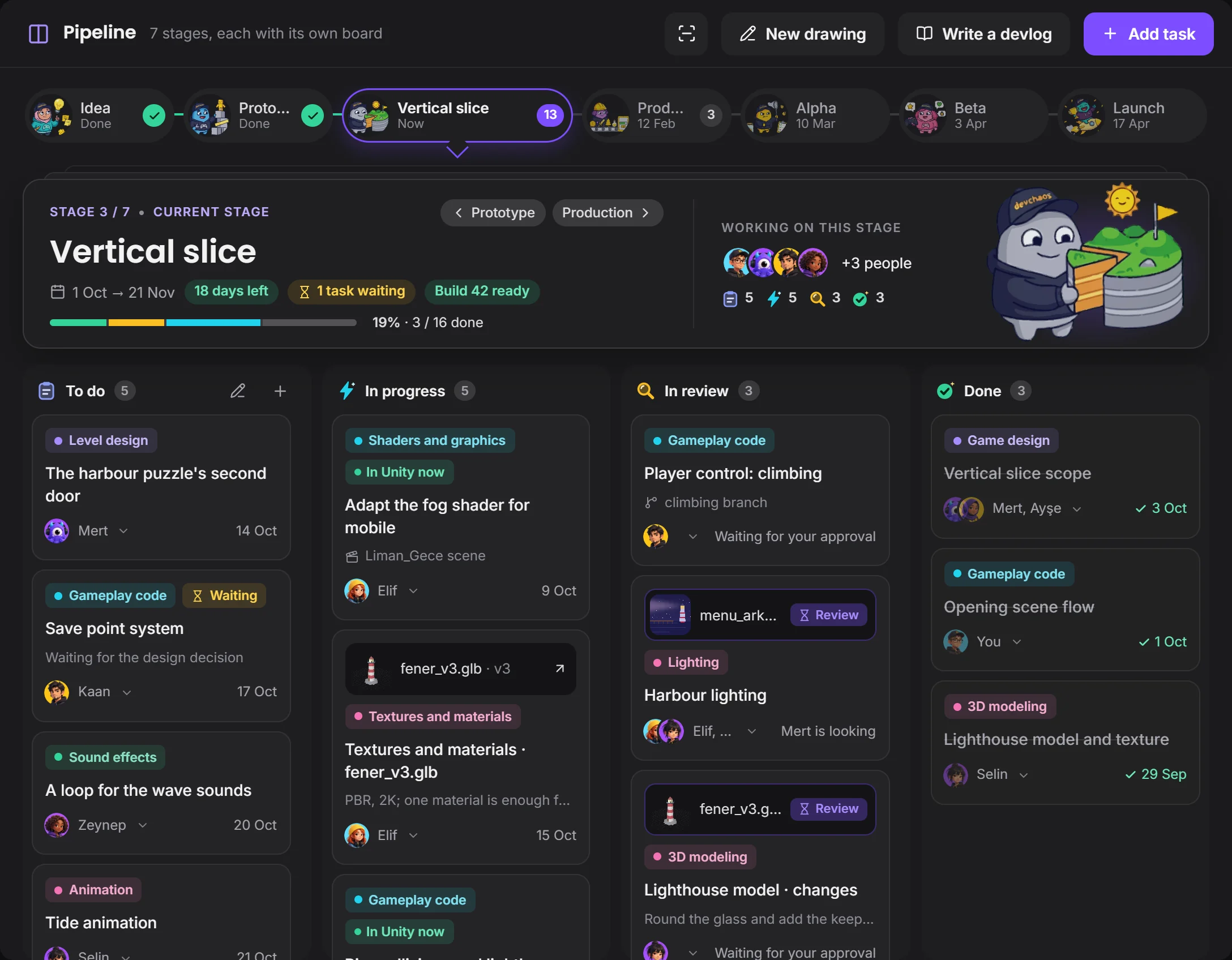
Every stage has its own board.

Idea, prototype, vertical slice: click a stage to open its tasks. Drag a card, give it to people, read its history in its window.

There are ready pipeline templates for small teams, mobile games and Steam early access.

Pipeline: stage strip, stage card and task boardcurrent stagefile waiting for approval
3Model

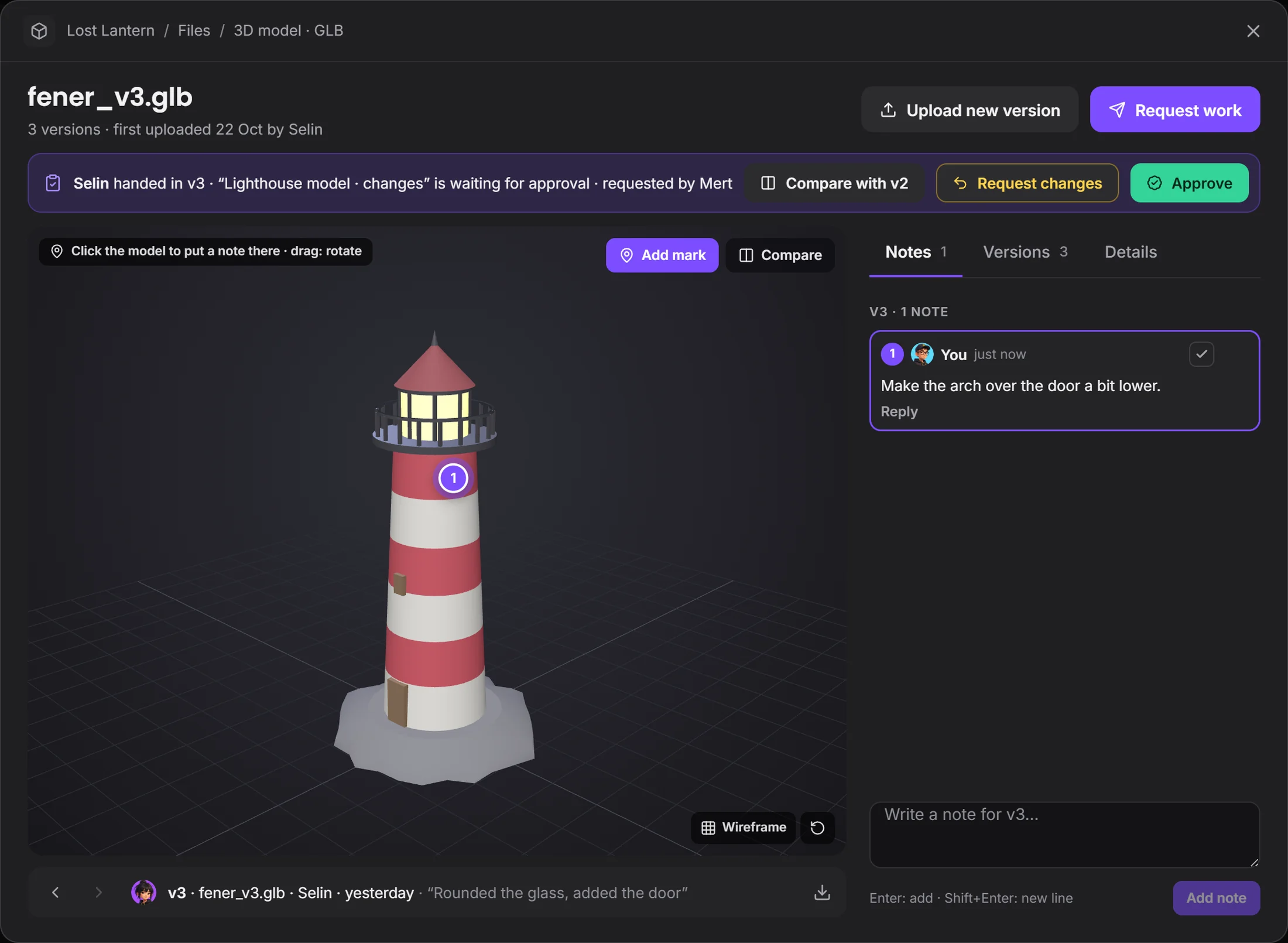
The model turns in the chat.

.glb, .fbx, .obj and .stl open inside the message, and a .blend is previewed through Blender. Put a mark on it, compare it with the last version, then approve it or request changes.

A mark and a note on the lighthouse modelthe mark is tied to the modelnote and repliesapprove or request changes
4Studio

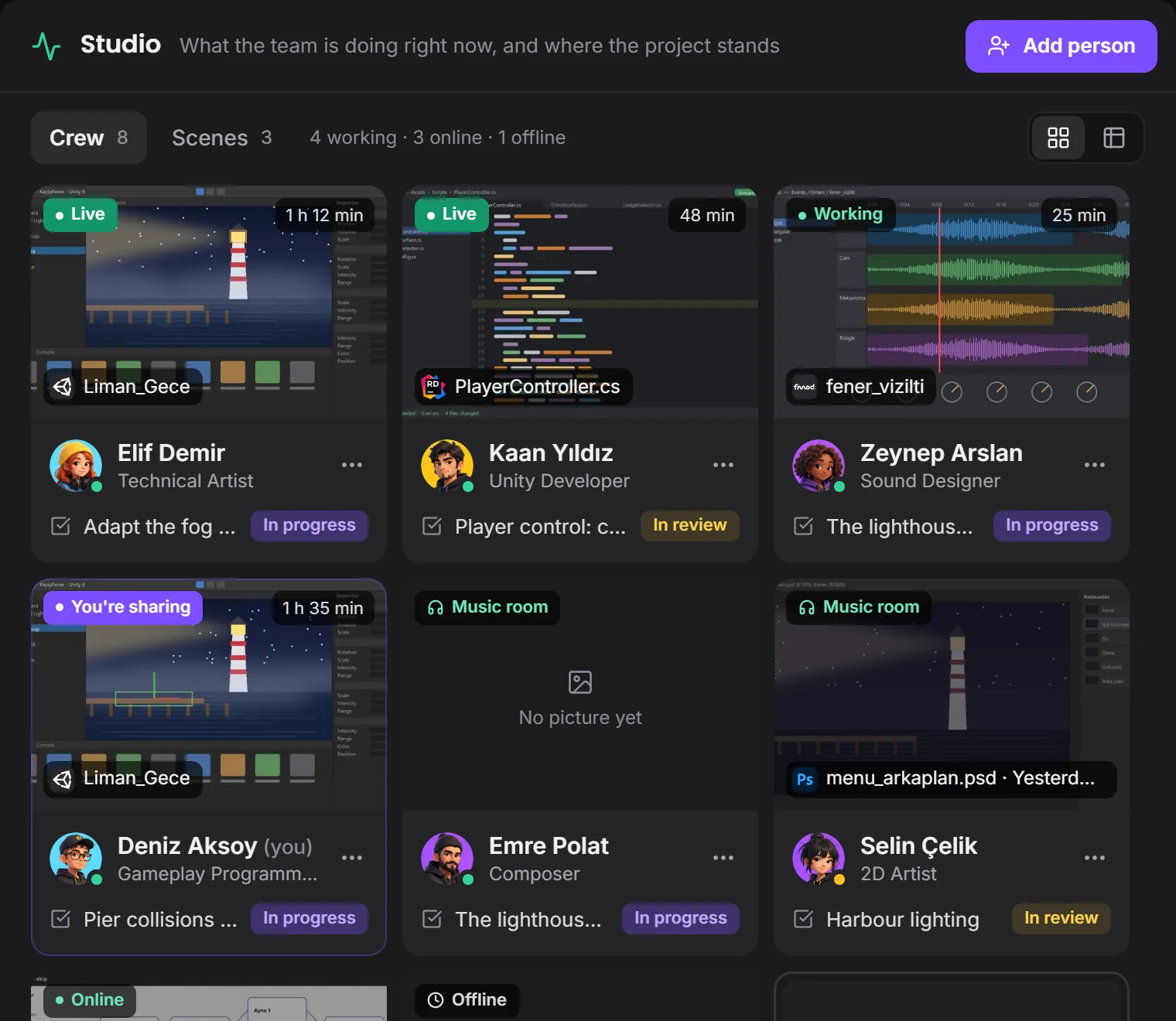
See who's on what without asking.

Everyone's card shows their open program, file and time. You take the team's pulse without a meeting, and each person decides what's shown.

Studio: team cards and project statustheir open filehow long they've been at it

How a job flows

From the moment an idea is drawn on screen to its approval, every step stays in one project.

IdeaIt appears in the drawing
TaskHanded to the team on the board
FileUploaded as a version
MarkA note lands on the model
ApprovalThe task closes and the team sees it

Your programs stay the same.

Devchaos doesn't replace your program, it stands beside it. Whichever one is open shows on your Studio card; there are 50 programs on the list, and you can add yours if it's missing.

Unity
Unreal
Godot
Blender
Rider
Photoshop
Aseprite
FMOD
Tiled
Git

Questions

Does it connect to Unity, Unreal or Godot?

Engine plug-ins are coming soon. Today Devchaos sees which program is open and the file name; with the plug-in, the open scene and selected object will show too.

Is there voice chat?

Not yet, it's coming soon. Voice rooms and camera are on the way. For now you use the room's text chat during a screen share.

Where do our files live?

You choose from three places: the Devchaos server (2 GB per project), a computer left on at the office, or your own cloud storage (such as Cloudflare R2, Amazon S3 or Backblaze).

How much does it cost?

Completely free for a short while. We're in the test version: every window is open and nothing is charged.

Next solutionVFX →

VFX

Solve the shot together.